


My Patreon support doesn't show
- NeronAuthor
- OzzEditor

On this page 5
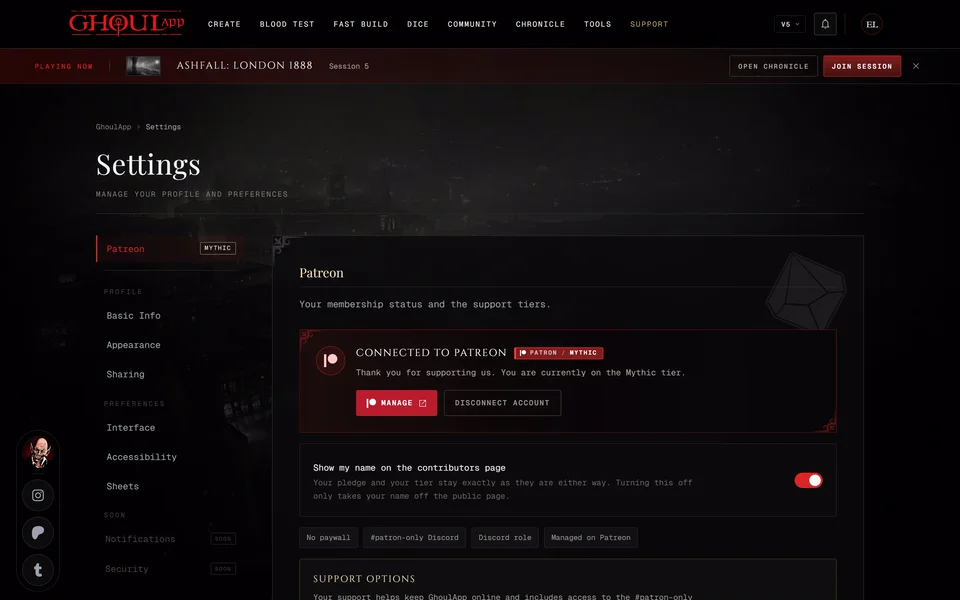
You support GhoulApp on Patreon but the app doesn't show it. There's no badge, the tier is wrong or your settings say Former Supporter or show no tier. Open your settings, choose Patreon and check the card there against the causes below in this order.
The card says PATREON NOT CONNECTED
GhoulApp doesn't know which Patreon account is yours yet. Supporting on Patreon doesn't link the accounts by itself. Choose Connect Patreon and follow Link your Patreon account.
The account is linked but there's no tier
Check first that you linked the Patreon account you pay with and not a second account that was signed in on that browser.
- Choose Disconnect Account.
- On patreon.com sign out and then sign in with the account that holds your membership.
- Back in GhoulApp choose Connect Patreon again.
If it's the right account check on Patreon that the membership is active and that it's for GhoulApp.
You just joined or changed your tier
A new membership, an upgrade or a downgrade usually shows soon after Patreon confirms it. If it hasn't shown up yet you don't have to wait. Choose Disconnect Account and then Connect Patreon. Connecting reads your current tier straight away.
It says Former Supporter
Patreon reports that your membership has ended. Your accounts stay linked but the badge is hidden until the membership is active again. Supporting again on Patreon brings it back.
Still not working
Ask on our Discord server or write to info@playercompanion.com. Tell us your GhoulApp username, the tier you expect and what the Patreon card in your settings says.
Related articles

About this article
- Type
- Troubleshooting
- Editions
- All editions
Need more help?

Ask the team in #ghoulapp-feedback on the Player Companion Discord. Or try #ghoulapp. GhoulApp players are active there and help each other.
Open Discord(New tab)