


The dice roller without a chronicle
- OzzAuthor and editor

On this page 5
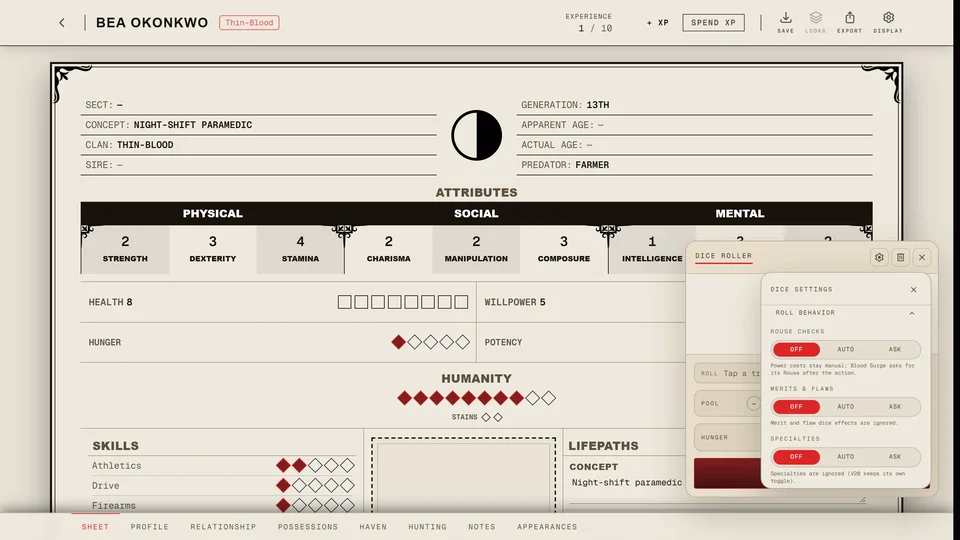
The Dice Roller is a page for quick rolls with no chronicle and no character. Open it with Dice in the header, from in the phone's bottom bar or from the Kindred Dice Roller in Tools. You don't need to sign in.
Pick your edition from the tabs at the top: Fifth Edition, 20th Anniversary, Dark Ages or 6th Edition (Alpha). Each tab has its own address, so you can bookmark the one your table plays.
Press Roll to throw the dice. R does the same from anywhere on the page while you aren't typing in a box.
Fifth Edition
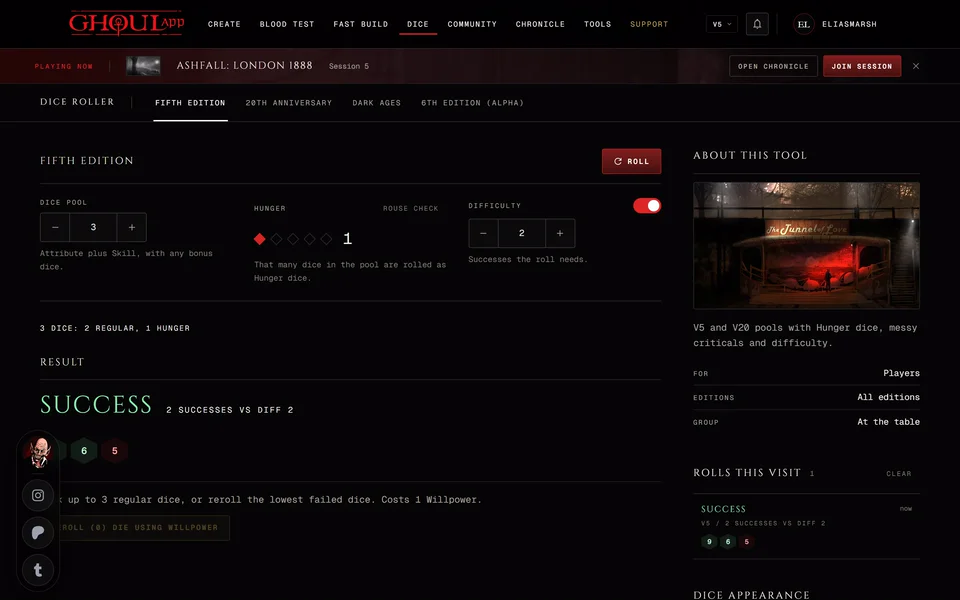
The Dice Pool runs from 1 to 20 and starts at 3. Tap the Hunger marks to set it from 0 to 5. That many dice in the pool are rolled as Hunger dice. Difficulty is the number of successes you need, from 1 to 10. Its switch turns it off and then the roll only counts successes.
On a phone Roll sits in a bar of its own at the bottom of the screen.
Rouse Check beside Hunger rolls one die. Under 6 the Hunger on the page goes up by one, up to 5. The result shows under the marks for a few seconds as "Rouse Success" or "Rouse Failure" with the number rolled.
The result reads CRITICAL WIN, MESSY CRITICAL, BESTIAL FAILURE, SUCCESS or FAILURE. A line under it counts the pool, like "5 dice: 3 regular, 2 Hunger".
After a roll you can spend Willpower once on that roll. Tap up to three normal dice to pick them. Then press the reroll button, which counts them like "Reroll (2) die using Willpower". With nothing picked it rerolls your lowest failures. Hunger dice are never rerolled. Afterwards the page says "Willpower spent on this roll". Nothing is taken from a sheet here.
20th Anniversary and Dark Ages
The pool runs from 1 to 20 and the Difficulty from 2 to 10 and starts at 6. Turn the difficulty off and it stays at 6. The Specialty switch makes each 10 count twice. Dark Ages rolls the same way.
This page shows more than the chronicle's tray. Exceptional marks five or more successes. Botch means no success was rolled and at least one die showed a 1. A plain failure tells you when 1s cancelled every success.
6th Edition (Alpha)
V6 has a Starting pool from 0 to 30, a Difficulty from 1 to 30 and Quickening committed. A line shows the sum before you roll: the starting pool minus the difficulty plus the Quickening you committed. If the difficulty takes every die the button reads No dice to roll.
Quickening available starts at 0 and grows only from 10s you roll on this page. What you commit goes back to 0 after each roll. If your 10s push Quickening past five the page shows "Quickening overflow" and asks you to mark each extra point on Beast or Nature. You can't roll again until every point is marked.
A success past the first shows as "1 extra". A roll with no success and at least one 1 is a Painful failure.
How the rules work in each edition is in V5, V20 and Dark Ages and V6.
The side of the page
Rolls this visit lists your rolls with the newest first. It shows the last eight and the count beside the title is every roll it keeps. Clear empties it. When you leave the page they're gone. Nobody else sees them and nothing is written to a sheet.
Dice appearance has 3D dice, which throws animated dice over the page with the result below. On the Fifth Edition tab it also has Official V5 dice for the symbol faces of the chronicle's tray. These two are the only things the page remembers and it keeps them in this browser.
How V5 dice read (or the edition you picked) lists that edition's rules in a few lines.
Rolling with your table
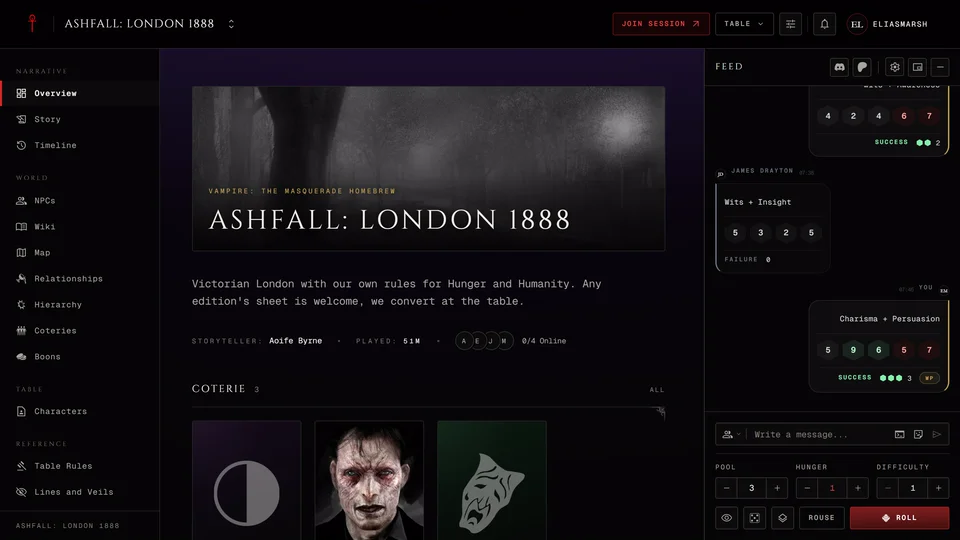
Signed in with a chronicle you also see Roll with your table with up to five of your chronicles, the ones you run first. If you want your table to see a roll use the dice tray inside your chronicle. It shares every roll with the table. See The dice tray.
Related articles




About this article
- Type
- Guide
- Editions
- V5, V20, Dark Ages, V6
In this article
Need more help?

Ask the team in #ghoulapp-feedback on the Player Companion Discord. Or try #ghoulapp. GhoulApp players are active there and help each other.
Open Discord(New tab)