


Making a V5 character, step by step
- Lithaner555Author
- OzzEditor


On this page 13
A 5th Edition vampire takes twelve steps: Era, Character Type, Concept, Clan, Attributes, Skills, Disciplines, Predator Type, Merits & Flaws, Vitals, Touchstones and Summary. This page goes through each one. For how the steps, the side panel and the bar at the bottom work in general, see How the character creator works.
Everything here is for the normal Standard creation mode. In Free mode the dot and point limits aren't enforced. You still need a name, a concept, a clan and any Flaw your clan's bane requires.
1. Era
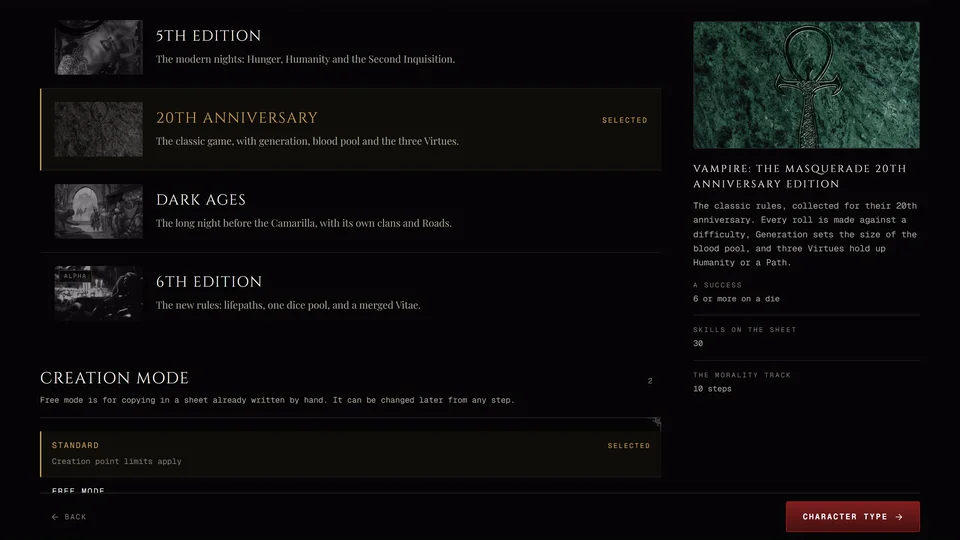
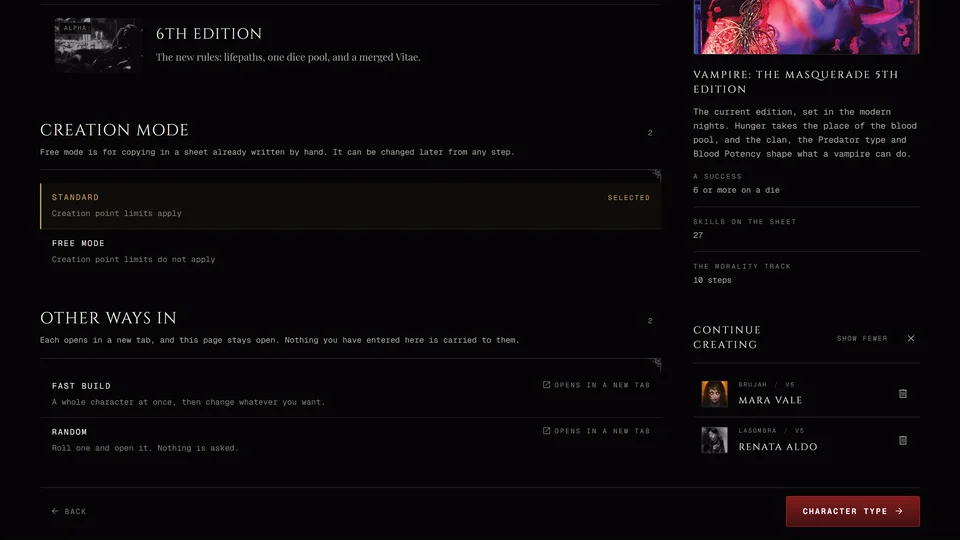
Pick 5th Edition. Leave Creation mode on Standard unless you're copying in a sheet you already wrote by hand.
2. Character Type
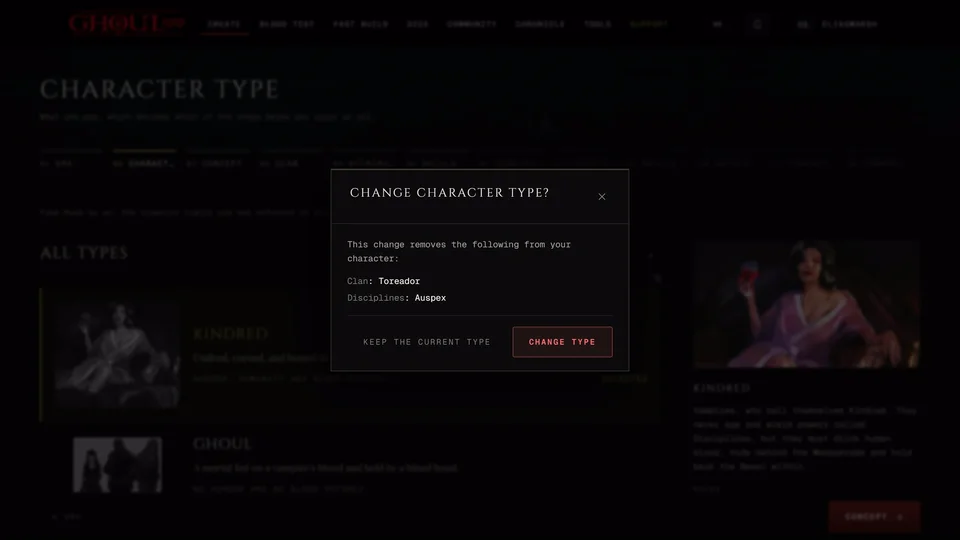
Pick Kindred for a vampire. A ghoul or revenant skips Predator Type. A mortal also skips Clan and Disciplines. See Vampire, ghoul, revenant or mortal.
3. Concept
Who the character is and where they stand. Name and Concept are the two you must fill. The concept is one line and the rest fills in during play. Ambition is the long goal and Desire is the one for tonight. Both are optional. Then come the age fields, Chronicle, Sect and Sire. A ghoul sees Domitor instead of Sire and a revenant sees Patron.
Name, Concept, Ambition and Desire each have a Roll button of their own. Roll identity at the top fills in a name, a concept, an Ambition, a Desire, a sect, the ages, a sire and for a vampire a generation in one go. If the rolled generation would change how the character is built it asks first. If a roll replaced something you wanted Undo puts it back.
Choose Custom... in the Sect list to type a sect of your own. In a chronicle only the storyteller has it. Press Enter or leave the field to keep it. Esc puts back what was there.
Signed in, Add a portrait opens your picture gallery. There you can upload a file, paste a link or pick a picture you already have. As a guest you get a Portrait address field for a picture's web address instead. A character with no portrait shows their clan's mark.
If you link a sire who has a clan a character with no clan yet starts on the sire's clan.
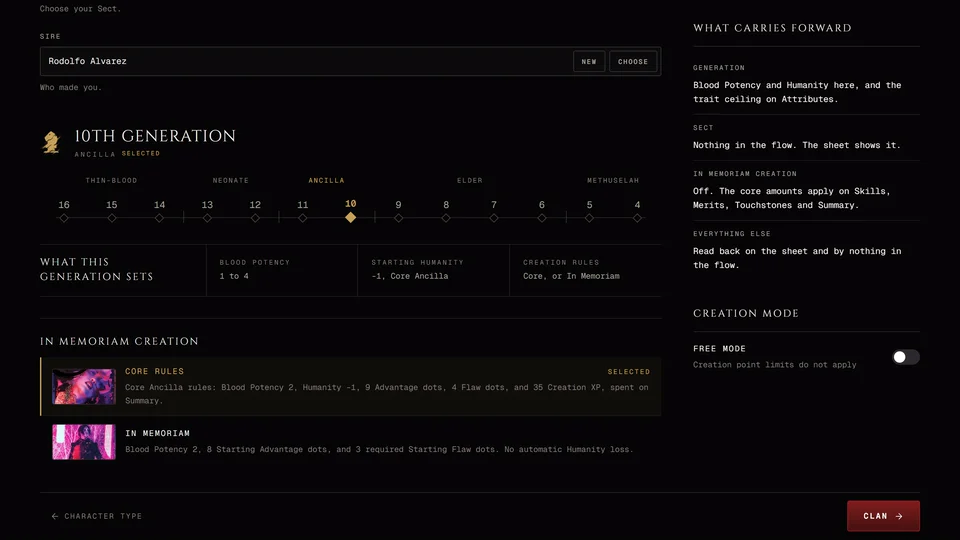
Generation is chosen here too, from 16th down to 4th, grouped as Thin-Blood, Neonate, Ancilla, Elder and Methuselah. The panel under it, What this generation sets, shows the Blood Potency range, any change to starting Humanity and which creation rules apply. At 10th and 11th the core rules build an ancilla: Blood Potency 2, Humanity -1, 9 Advantage dots, 4 Flaw dots and 35 Creation XP to spend on the Summary.
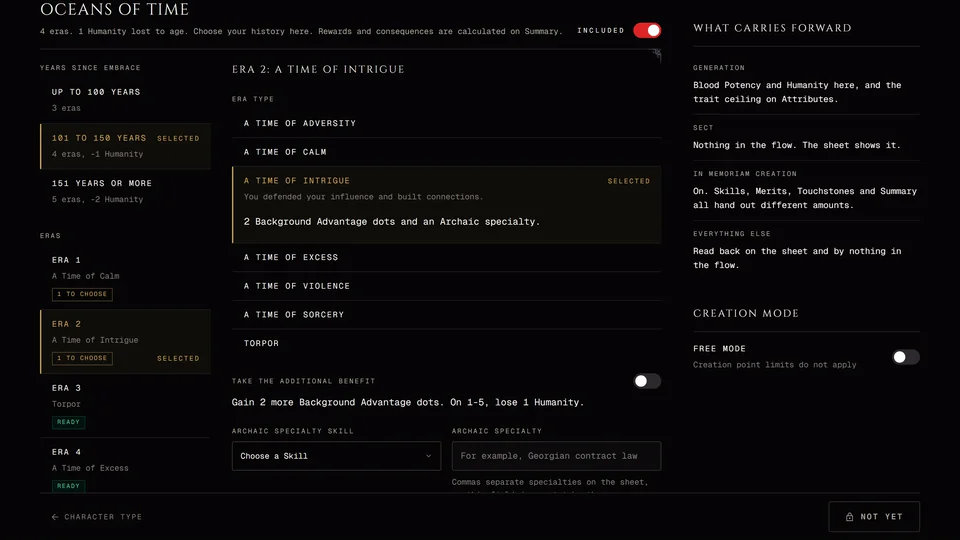
From 8th to 12th you can also choose In Memoriam instead of Core rules. The option shows what it gives at the generation you picked. With In Memoriam you can also plan the years since the Embrace with Oceans of Time.
To go on: a name and a concept. If Oceans of Time is on finish it and press Done.
4. Clan
Pick a clan. It sets your three in-clan Disciplines, your Bane and your Compulsion. The list has the 5th Edition clans plus Caitiff and Thin-Blood. Hecata families are listed under Bloodlines with their own search box.
The search box above the clans finds one by name. Beside it you can switch the view. List gives each clan a row with its one-line description. Gallery shows the clans' pictures. Disciplines puts the three in-clan Disciplines on each row so you can compare what they teach. The view you pick is remembered on this device. Whichever you use, the side panel reads the chosen clan's Disciplines, Bane and Compulsion.
Some clans have a variant bane. Keeping the standard bane can mean taking a Flaw and the step tells you which one.
Create your own clan at the end of the list lets you write a clan with its own name, Disciplines and Bane. Inside a chronicle only the storyteller has this and the other "create your own" buttons.
Changing the clan later clears the Disciplines and powers you already bought.
To go on: a clan.
5. Attributes
Rate all nine Attributes. The Dots to place board shows the shape you need: one at 4, three at 3, four at 2 and one at 1. Each rating you give fills a box.
To go on: the shape has to match exactly. An extra dot is as wrong as a missing one.
6. Skills
First pick a Pattern. Jack of All Trades puts one Skill at 3, eight at 2 and ten at 1. Balanced is three at 3, five at 2 and seven at 1. Specialist has one Skill at 4 with three each at 3, 2 and 1. Then fill it exactly. A chronicle can set its own distribution instead.
Specialties: Academics, Craft, Performance and Science each need one once you rate them. A comma in the field lets one of those four hold several. You also get one free specialty on any Skill with a dot.
Add a homebrew skill adds a skill of your own. It counts toward the pattern like any other.
To go on: the pattern filled exactly, the required specialties and the free one. With In Memoriam at 12th generation you also spend 12 Generation XP on Skills here.
7. Disciplines
Place your dots first, then choose a power for each dot at its level or below. A vampire places two dots in one in-clan Discipline and one in another.
Other builds differ. An In Memoriam build picks Focused 3/1/1 or Strategic 2/2/1/1. A Caitiff has no clan Disciplines and chooses freely. A Thin-Blood gets a dot only from two merits: Thin-blood Alchemist gives one in Thin-Blood Alchemy and Discipline Affinity gives one in a Discipline. A ghoul gets one dot from the domitor's clan and a revenant gets one dot in each of two of the family's Disciplines.
Blood Sorcery and Oblivion also offer a free level 1 ritual or ceremony. It's optional. Add a Discipline lets you add an out-of-clan Discipline or create a custom one.
To go on: every dot placed and a power for each. The step lists what's missing.
8. Predator Type
How your vampire feeds. A predator type gives you dots and makes you take flaws, so read what each one does in the side panel before you pick. It's optional: No predator type is a row of its own.
Create your own predator type lets you write one with its own Disciplines, specialty and bonuses.
To go on: answer every question the type asks. That can be which Discipline it teaches, which power, which specialty, where its Background dots go and which Flaw you take.
9. Merits & Flaws
The step's heading reads Advantages. You get one pool of dots for Backgrounds, Merits and Loresheets. You also have to take a minimum of Flaws:
| Build | Pool | Flaws at least |
|---|---|---|
| Standard | 7 | 2 |
| Core rules ancilla (10th, 11th) | 9 | 4 |
| In Memoriam | 8 or 0, by generation | 0, 3 or 5, by generation |
In Memoriam at 8th or 9th generation also offers a Humanity exchange: two Advantage dots for one point of Humanity.
Flaws give 10 points at most. You don't have to spend the whole pool. Dots that come from your predator type, a loresheet or your clan's bane are free.
Thin-Blood characters take 1 to 3 Thin-Blood Merits. Each one is paid for by a Thin-Blood Flaw outside the pool.
The Merits and Flaws list has a View switch. Library shows the list with the chosen one read out beside it. Ledger is one box of rows with the dots at the end of each row and a row opens in place to show its full text. Sidebar runs the list across the page and reads the chosen one in the side panel. Phones don't have Sidebar. On a phone what you've taken has its own list called Taken. Pick a row to read what it does and choose a value to take it. Choose the same value again to take it off.
Add a loresheet opens the loresheets. Each level is its own purchase and costs its level from the same pool. Write your own under Backgrounds adds a Background of your own and the loresheet list has Add custom loresheet. See Custom backgrounds, loresheets and lifepaths.
To go on: enough Flaws, no more than the pool spent and any Flaw your clan's bane requires.
10. Vitals
Nothing to spend here. The step shows where Health, Willpower, Humanity and Blood Potency come from, worked out from your earlier steps. Health is Stamina
- 3, Willpower is Composure + Resolve, Humanity starts at 7 and your predator type can change it.
Nothing here can stop you going on.
11. Touchstones
Write a Conviction (a belief your character won't cross) and the Touchstone (the person who proves they still hold it). You can have up to 3 pairs (5 with the Moral Dissident merit). Each half has a roll button.
To go on: at least one complete pair and no half-written ones. Skip for Now lets you go on without them.
12. Summary
Check everything, then press Save. The Summary also has the Experience section: Add XP for XP your storyteller gave you, Spend XP to buy traits and the Experience Log. A core rules ancilla spends its 35 Creation XP here. Any Creation XP you don't spend stays on the saved character.
For Visibility, PDF export, Start Over and what Save does, see How the character creator works.
Ghouls, revenants and mortals
A ghoul has no Predator Type and no generation. Their Clan step is the domitor's clan and they get one Discipline dot. A revenant has no Predator Type either. Their Clan step is the family and they get one dot in each of two Disciplines.
A mortal skips Clan, Disciplines and Predator Type. Their Concept step has a single Age field and no sire. Mortals can't take loresheets.
Related articles
About this article
- Type
- Guide
- Editions
- V5
In this article
Need more help?

Ask the team in #ghoulapp-feedback on the Player Companion Discord. Or try #ghoulapp. GhoulApp players are active there and help each other.
Open Discord(New tab)