


Making a V6 character
- Lithaner555Author
- OzzEditor


On this page 15
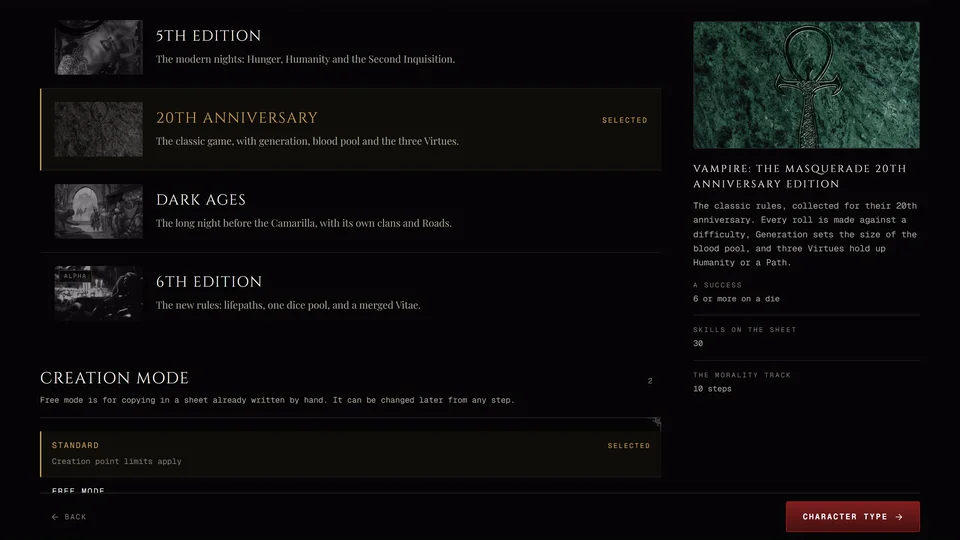
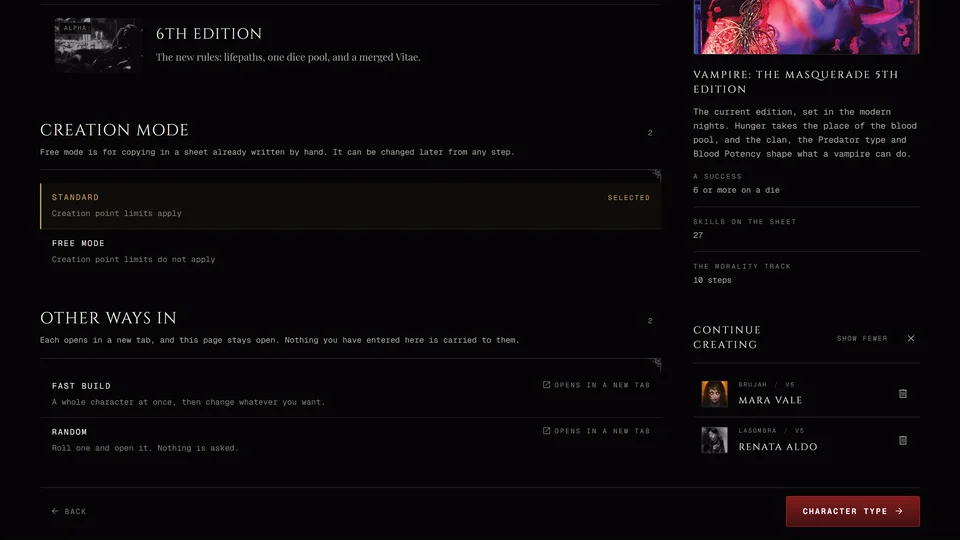
6th Edition in GhoulApp follows the public alpha playtest of the next edition. The rules aren't final and can still change. That's why the edition carries an Alpha badge on its picture on the Era step and a V6 Alpha badge on the sheet. The Learn to play the sixth edition page explains the rules and compares them with 5th and 20th Anniversary.
Most of the 6th Edition creator is in English in every language GhoulApp offers. A few shared buttons like Roll identity follow your language.
There are no 6th Edition chronicles, so a 6th Edition character can only join a Custom chronicle. And there are no freebie points and no XP at creation. Every pool is spent exactly.
The steps
After the Era there are eleven steps: Type, Concept, Clan, Sire, Lifepaths, Attributes, Skills, Disciplines, Humanity, Resources and Summary. They're the same for every creature type. For how the steps and the bar at the bottom work in general see How the character creator works.
The tutorial
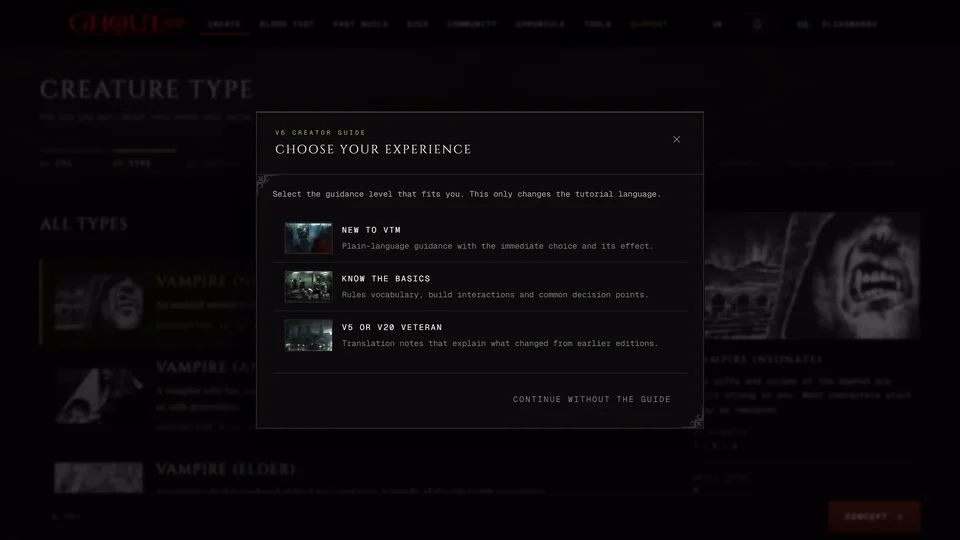
The first time you open the 6th Edition creator a box called Choose your experience asks how much help you want. New to VTM explains each choice in plain words. Know the basics uses the rules' own terms. V5 or V20 veteran points out what changed from the earlier editions. The level only changes how the tutorial talks. Press Continue without the guide to skip it.
The tutorial then walks you through the step you're on and highlights the part it's talking about. Press Esc to close it. You can open it again whenever you like with Tutorial. On a computer it waits in the bottom right corner. On a phone it's at the top of each step.
1. Era
Pick 6th Edition.
2. Type
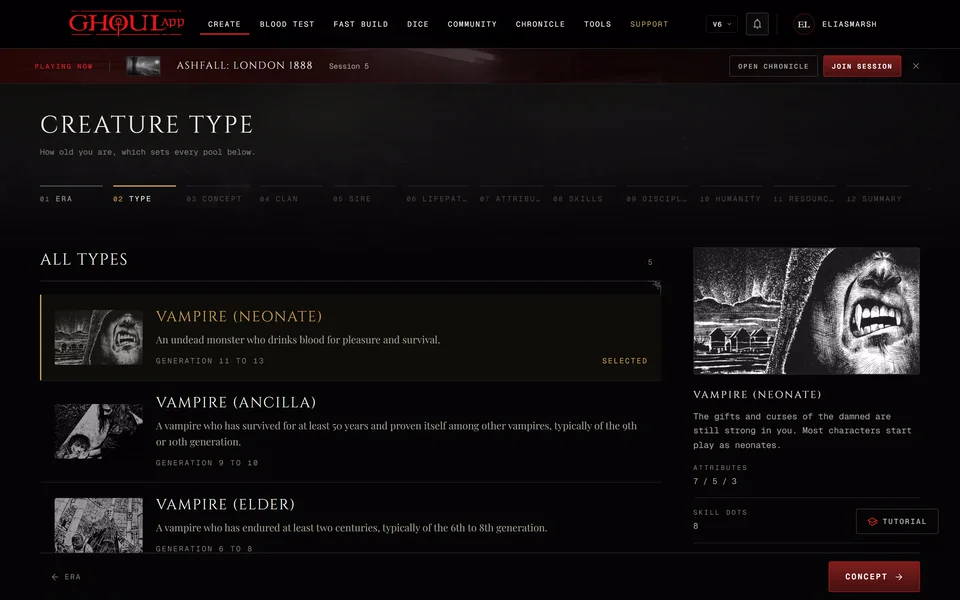
The Creature type sets how old you are and every pool after it. A Vampire (Neonate) gets 7, 5 and 3 Attribute dots and two lifepaths. An Ancilla gets 8, 6 and 4 with three lifepaths and an Elder 9, 7 and 5 with four. A Ghoul and a Duskborn both get 6, 4 and 3 with two lifepaths. The side panel lists each one's dots, powers, lifepaths, resources, merits and clan traits. The full table is in Vampire, ghoul, revenant or mortal.
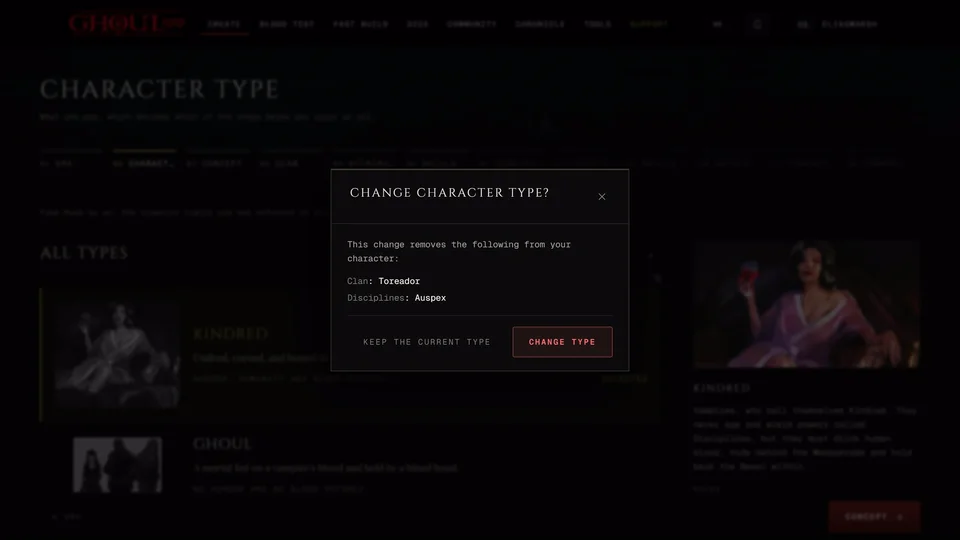
If you change the type after spending dots the creator asks first and tells you which pools would now be over budget.
A new character starts as a Neonate, so you can go on straight away if that's what you want.
3. Concept
At the top is a portrait. Below it you write the Name (required) and the Archetype, which is their role, image or defining concept. The Name's roll button rolls only the name. The Archetype's rolls an archetype together with a Nostalgic decade that fits it. Roll identity rolls the name, archetype, decade, both ages and the Generation in one go. It leaves the portrait, the Flaws and the chronicle alone. After a roll Undo puts back what the roll replaced.
You can also pick a chronicle here if you want the character to join one. Only your Custom chronicles can take a 6th Edition character.
The Nostalgic decade is the era they still carry. Actual age is free text, so "around 200" is fine. Apparent age is how old they look.
Flaws are optional. Type one in Add a flaw and press Enter or Add. Each one is a line on the sheet in your own words.
Generation is picked inside your creature type's range. Ghouls have none.
To go on: a name and a Generation inside your creature type's range.
4. Clan
Pick a lineage. It sets your in-clan Disciplines, your Curse and your Beast. 6th Edition has no "create your own clan".
5. Sire
Choose the type of sire who made you. A ghoul picks their Vampire master from the same list. The Caring, Cruel, Manipulative, Secretive, Unknown and Vigilant Sire each give a free dot in one of three Disciplines they name. Adoptive Sire and Brood Child ask for a second clan first.
The sire's dot comes on top of the dots your creature type gives you. It starts that Discipline at 1. A Discipline from outside your clan stays outside it.
Sire name is optional. Leave it blank if the sire is unknown.
6. Lifepaths
Where the character has been. Your creature type sets how many lifepaths you pick. Each one carries five skill dots and three resource dots in its own lists. You place those under the lifepath.
The list is grouped into Mortal Lifepaths, Neonate Lifepaths and Ancilla Lifepaths. Create your own Lifepath makes a mortal lifepath with 5 Skills and 3 Resources you choose. See Custom backgrounds, loresheets and lifepaths.
7. Attributes
Order the three categories. They take the dots your creature type gives, like 7, 5 and 3 for a Neonate. There are no freebie points, so the step won't let you go on until each category holds exactly its dots.
8. Skills
You place 8 dots on top of what your lifepaths already gave. No Skill can go above 3 during creation, counting the lifepath dots. The 13 Skills are Athletics, Awareness, Craft, Expression, Fighting, Investigation, Knowledge, Medicine, Persuasion, Sabotage, Shooting, Subterfuge and Survival.
A Skill at 1 earns a Focus and a second one comes at 3. Focuses your lifepaths gave you fill those slots first.
9. Disciplines
Discipline dots and powers are two separate budgets. At creation the dots go only in your lineage's three Disciplines. The dot from your sire is shown on its own and costs nothing. You also pick Clan traits and Merits. Code of Honor asks you to write the code.
10. Humanity
The step's heading reads Humanity and Nature. Choose one Nature out of eight. It names the mortal drive on your Humanity scale and the Outburst when that drive takes over. The side panel shows your Vitae maximum (10 + Stamina) and Willpower maximum (5 + Composure + Resolve).
A ghoul doesn't have to choose a Nature. Some creature types can start further along the scale if your storyteller allows it.
To go on: a vampire needs a Nature.
11. Resources
What the character can still reach, each one named and rated on its own: a Haven, Property, a Repository, a Vehicle, an Ally, a Contact, Fame, Herd, a Mask, Status or Wealth. Your creature type gives you dots on top of the ones your lifepaths left. Lifepath dots can't be moved here. Name each Resource you put dots in.
12. Summary
The heading reads Review. Check everything and press Save. There's no XP section in 6th Edition.
From here you can also download a PDF of the character before you save it. Archive prints on cream paper and Printer is plain white. Start Over clears every choice after asking you first.
At the bottom Share Your Playtest Feedback links to Send Feedback, where you can tell the World of Darkness team what worked in the playtest and what didn't.
Fast Build for 6th Edition
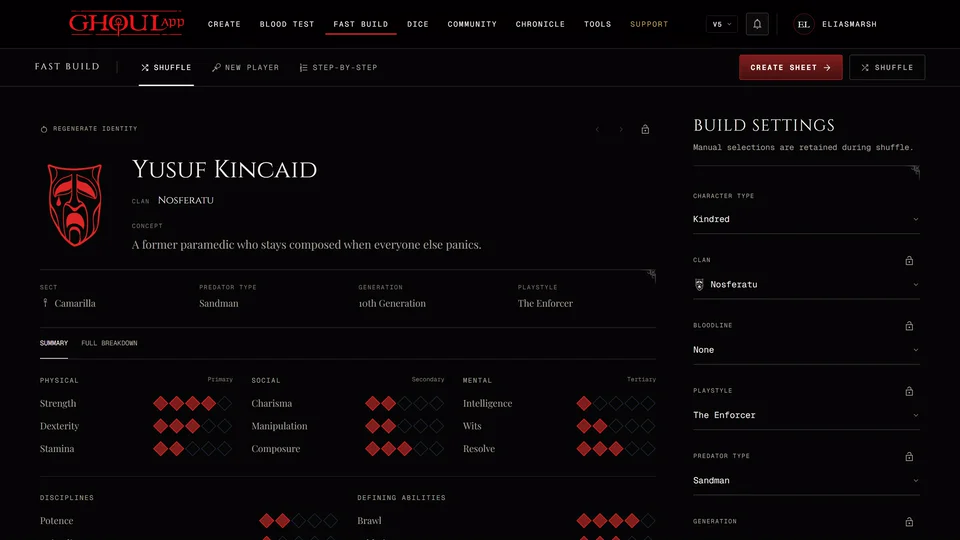
You can also build a 6th Edition character from a few questions. See Fast Build. The random character generator doesn't do 6th Edition.
Related articles
About this article
- Type
- Guide
- Editions
- V6
In this article
Need more help?

Ask the team in #ghoulapp-feedback on the Player Companion Discord. Or try #ghoulapp. GhoulApp players are active there and help each other.
Open Discord(New tab)