


The GhoulApp wiki
- NeronAuthor
- OzzEditor

On this page 3
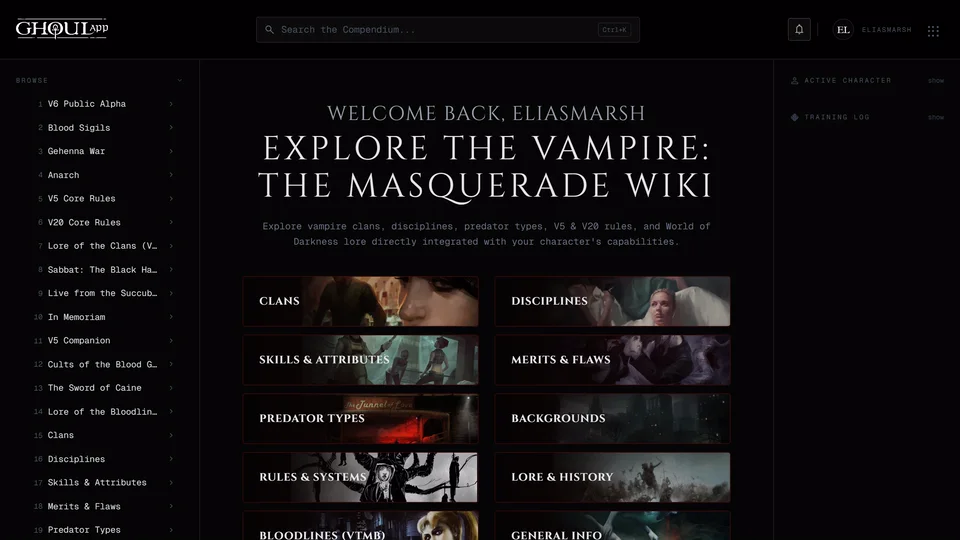
The wiki is GhoulApp's built-in compendium: clans, Disciplines and their
powers, skills and attributes, Merits and Flaws, Predator Types, Backgrounds,
rules and lore. Open it at ghoulapp.com/wiki. It comes with the app so
nobody can edit it. It's updated when GhoulApp is.
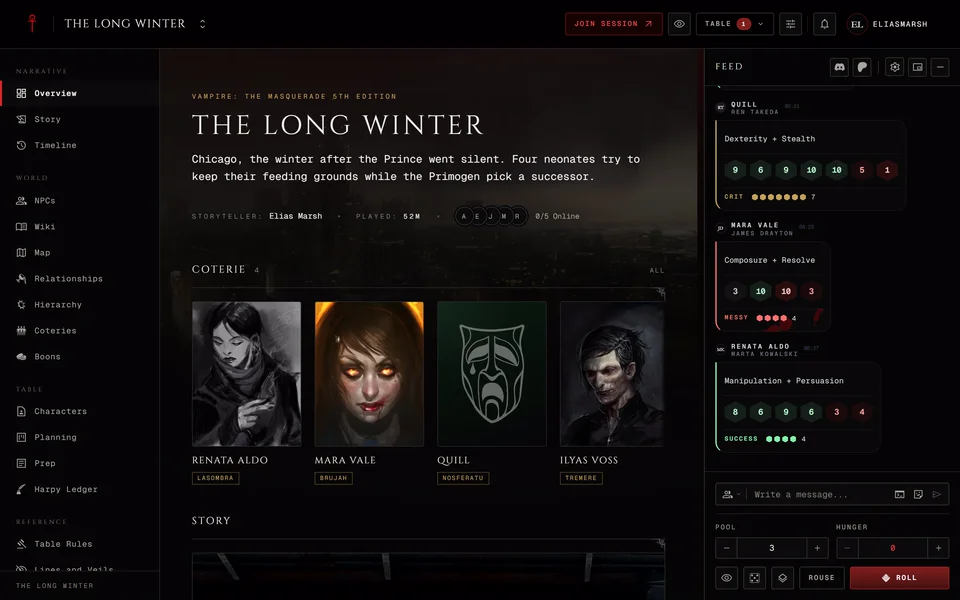
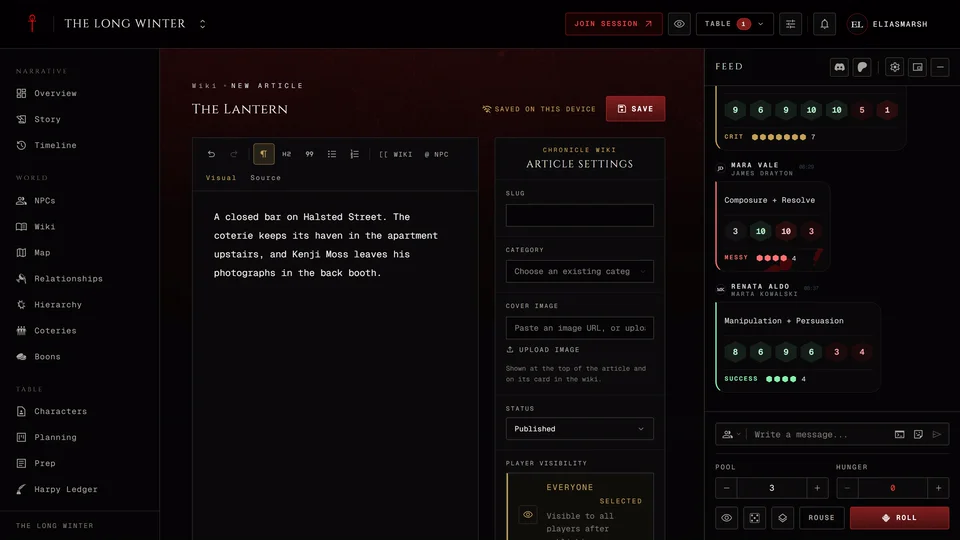
It's a different thing from a chronicle's wiki. A chronicle's wiki is written by its storyteller and players for their own game. See The chronicle wiki.
Finding your way
The sidebar groups the articles by book and subject. It has sections for V5 and its books, V20 Dark Ages, V6 Public Alpha and Bloodlines (VTMB) from the video games. Below those come the subjects: Rules & Systems, Clans, Disciplines, Skills & Attributes, Merits & Flaws, Predator Types and Backgrounds.
Searching
Use Search the Compendium at the top of the wiki. Ctrl+K (or Cmd+K on a Mac) puts you in the box from anywhere in the wiki. Suggestions appear after two letters. ↓ and ↑ move through them, Enter opens the one you picked and Esc closes the list. View all or Enter with nothing picked opens the full results.
The results page filters by Content Type and System Version. Content types are Clan, Discipline, Power, V20 Power, Skill, Merit, Flaw, Predator, Background, Article and Bloodlines. Versions are V5, V20, V20 Dark Ages and Bloodlines. V6 has its section in the sidebar but no filter here.
Pictures in an article open larger in a viewer. Esc closes it.
The side panel
On the wiki's front page the panel at the side shows Recent: up to eight articles you opened lately in this browser.
Signed in you can pick an Active Character there so dice pools in an article use that character's dots. If you don't pick one your first character is picked for you and the wiki remembers it. Signed out it says "Sign in to select a character for dice pools."
Dice you roll from articles are listed under Training Log. It keeps your last 200 rolls in this browser and counts your wins and criticals for V5, V20 and V20 Dark Ages. The bin button next to it, Clear log, empties it.
When the wiki is down for maintenance it shows a notice page and the search on your home page leaves wiki results out until it's back.
Related articles
About this article
- Type
- FAQ
- Editions
- All editions
In this article
Need more help?

Ask the team in #ghoulapp-feedback on the Player Companion Discord. Or try #ghoulapp. GhoulApp players are active there and help each other.
Open Discord(New tab)