


Earn and spend XP
- Lithaner555Author
- OzzEditor


On this page 8
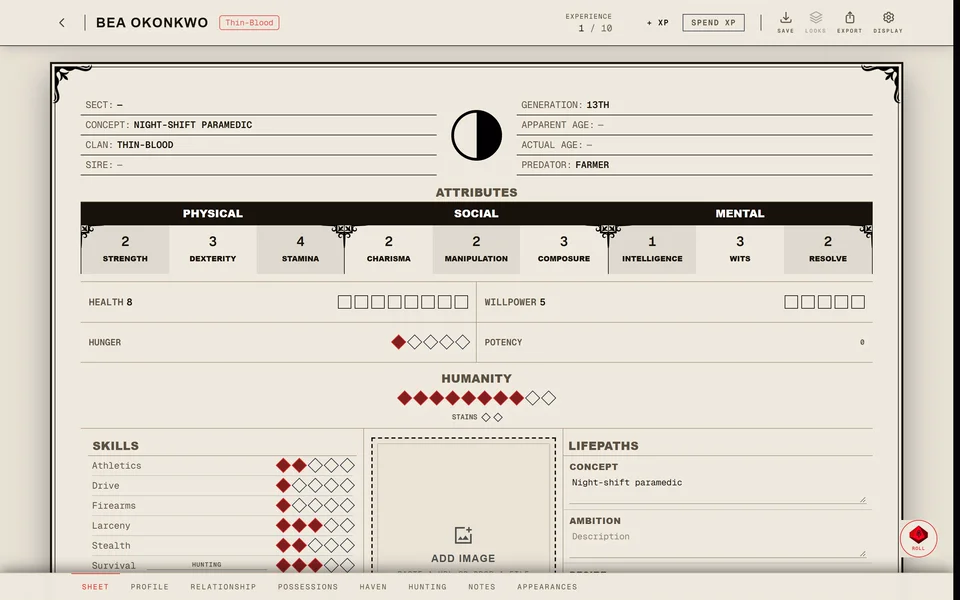
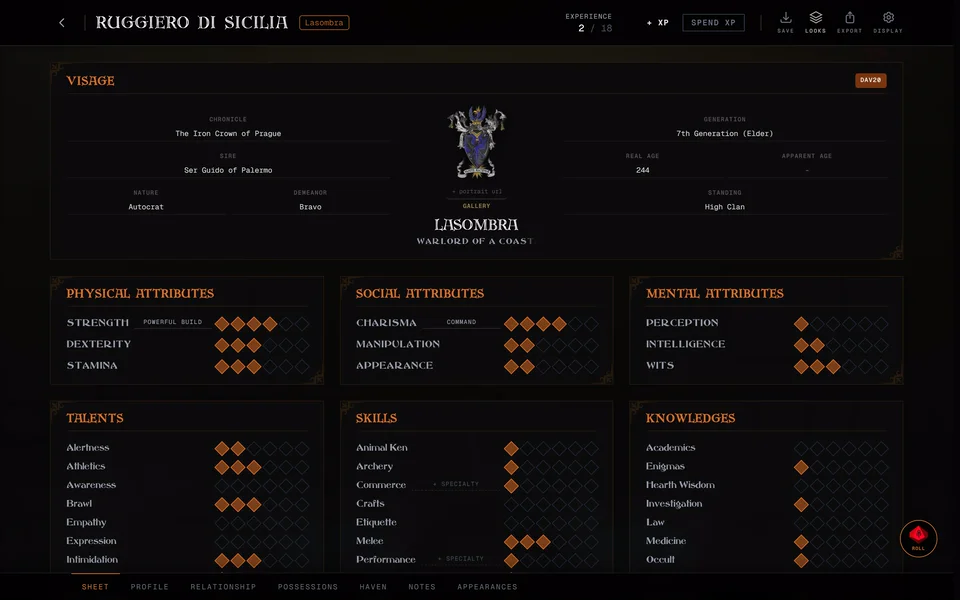
The top bar of the sheet shows Experience as two numbers: what's left to spend and what the character has earned in total. Every gain and spend is listed in the History & XP Log at the bottom of the Sheet page.
How you earn and spend XP depends on whether the sheet is your own or bound to a chronicle.
On a sheet of your own
Add XP
- Press + XP.
- Type the amount next to Amount: and press Confirm.
The XP is added and logged as "Storyteller Award".
Spend XP
- Press Spend XP. The button reads Spending while it's on.
- Press the dot you want to buy or the trait's name. The price shows next to the name.
- The sheet asks if you want to spend the XP and names the price, the trait and its new rating. Press Commit to buy it or Withhold to cancel.
If you don't have enough XP you see Insufficient Experience with how much you need. Lowering a dot you bought refunds its XP once you confirm.
In V5 a new Discipline dot also asks you to pick a power for it. In V6 every Discipline dot you buy comes with a free power of that rank.
Free Edit
Free Edit changes dots without spending or logging any XP. Use it to fix a mistake or to copy a character from paper. It's only there on a sheet of your own or in a chronicle where players control their sheets.
In a chronicle
When your sheet is bound to a chronicle the storyteller picks how XP works for everyone at the table. They choose one of four modes in the chronicle's Settings under Features, in the Management block:
- Storyteller approval is the usual one. Your traits are locked and each spend becomes a request to the storyteller.
- Player controlled makes your sheet work like a sheet of your own, Free Edit included. The storyteller can turn off Players can add XP to their own sheet and then only they can add XP.
- In Storyteller managed only the storyteller changes sheets. You don't see + XP or Spend XP at all and you can't send requests. Every change the storyteller makes still lands in your XP log.
- Free Storyteller also leaves the sheet to the storyteller with no XP buttons for you. It keeps no XP log: the storyteller's changes go straight onto the sheet.
Send a spend request
- Press Spend XP and press the dot or trait you want, the same as on your own sheet.
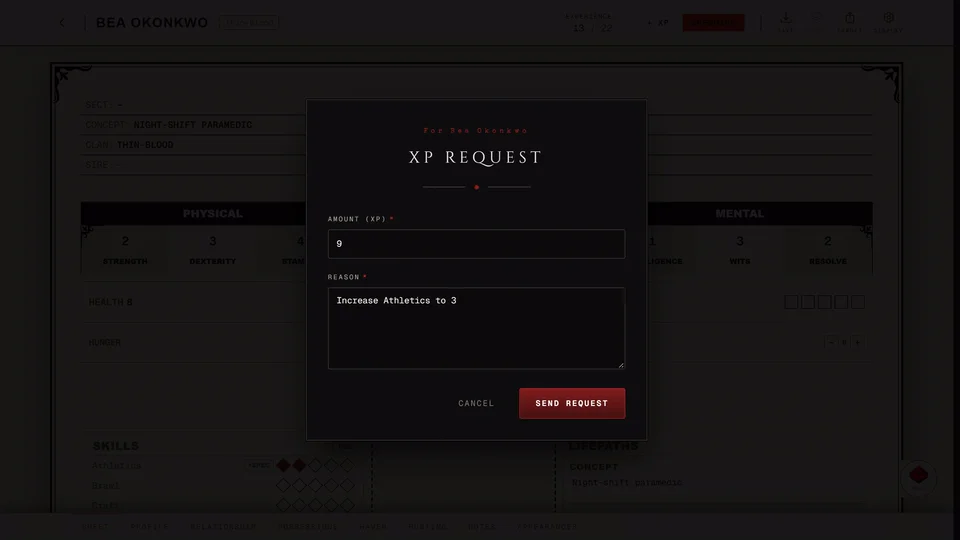
- The XP Request window opens with the type and the price filled in. A Reason is filled in for you. You can change it but you can't leave it empty. You can change the amount unless it's 0.
- Press Send Request. You see Spend request sent to the storyteller.
Your sheet doesn't change while the request waits. When the storyteller approves it the new dot appears on your sheet by itself and the spend shows in your XP log. If they deny it you get a notification saying so and the sheet stays as it was.
+ XP works the same way: it sends a gain request and the XP arrives when it's approved.
Some storytellers turn off Spending XP needs approval. Then you can spend XP they've already granted without a request. Gaining XP still needs their approval.
You can't lower a bought dot on a bound sheet to get XP back. Ask your storyteller to make the change.
How the storyteller gives XP
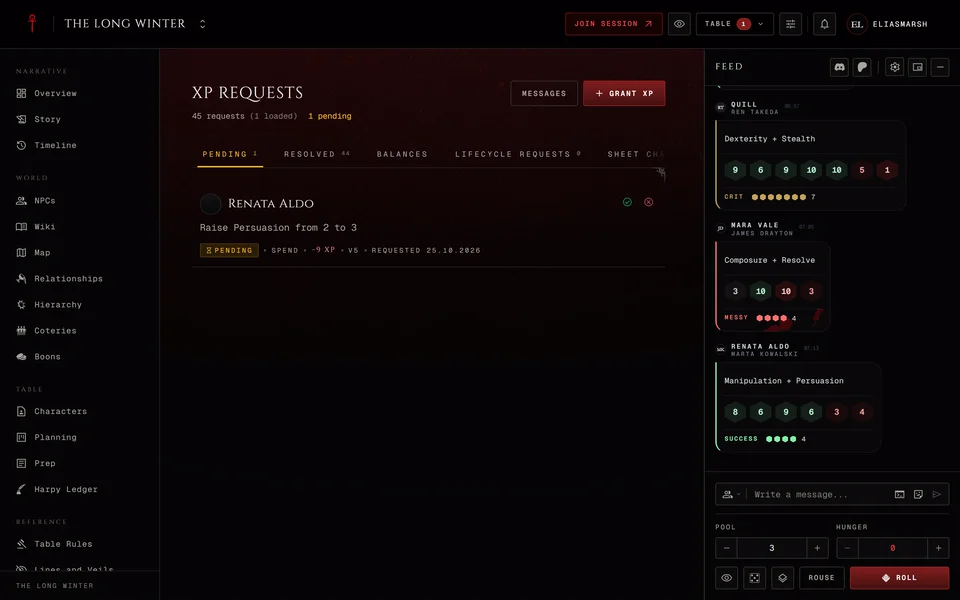
In Storyteller approval and Storyteller managed chronicles a storyteller can give XP straight to players with Grant XP. They pick the characters under Recipients, the Amount, a Session if they want one and a Reason. You get a notification when XP is granted to you. When a storyteller edits your sheet themselves the change goes in at once with no request.
What things cost
Each edition prices dots differently and your chronicle's Table Rules can change a price. The full price lists are in What XP costs in each edition.
Related articles

About this article
- Type
- Guide
- Editions
- V5, V20, Dark Ages, V6
Need more help?

Ask the team in #ghoulapp-feedback on the Player Companion Discord. Or try #ghoulapp. GhoulApp players are active there and help each other.
Open Discord(New tab)