


See what changed on a sheet
- Lithaner555Author
- OzzEditor


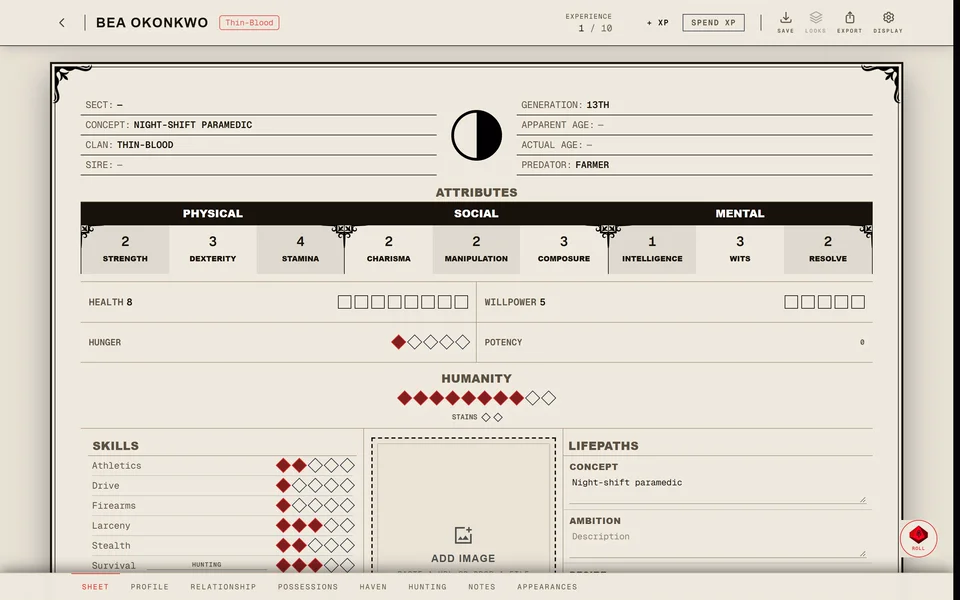
Open the sheet in the editor and scroll to the bottom of the Sheet page. The History & XP Log lists every saved change by date next to the XP gains and spends. Each line shows what changed and who saved it: You, the person's name or Automatic. It shows the newest 50 changes and updates by itself a few seconds after a save.
A storyteller finds the same history for every sheet in the chronicle on the XP page under Sheet changes. Each entry shows the old value struck through next to the new one and Show older goes further back.
A few things to know:
- Edits one person makes to a sheet within about ten minutes are grouped into one entry.
- Damage taken in play isn't recorded and neither is the sheet's look. XP spends have their own lines in the log.
- The list only shows changes made since this history was added. Older edits aren't in it. Each sheet keeps its newest 300 entries.
- Only you and the storytellers of the chronicle the sheet is in can see it. If the sheet leaves the chronicle they can't see it any more. A sheet kept only in this browser has no history.
- You can't undo a change from the history. Change the sheet back by hand. On an XP line Remove from log only hides the line. It doesn't give the XP back or change the sheet.
Was this article helpful?
Related articles
Find your way around the sheetOpen a character to see its sheet. The pages along the bottom hold the rest of the character and the buttons at the top spend XP, save the sheet and change how it looks.Earn and spend XPTurn on Spend XP and press a dot to buy it at the book's price. On a sheet of your own it happens at once. In a chronicle it usually goes to your storyteller as a request and lands when they approve it.The V5 sheetWhat's on a V5 character sheet and how to use it in play. Health and Willpower take Superficial and Aggravated damage, Hunger runs from 0 to 5 and Stains fill in from the right of the Humanity track.My XP request is waiting or was refusedWhy an XP request sits waiting, how you'd know it was refused and what to do next, including the V6 cases the storyteller can't approve.

About this article
- Type
- FAQ
- Editions
- All editions
Need more help?

Ask the team in #ghoulapp-feedback on the Player Companion Discord. Or try #ghoulapp. GhoulApp players are active there and help each other.
Open Discord(New tab)