


Save a tool's result to your chronicle

On this page 5
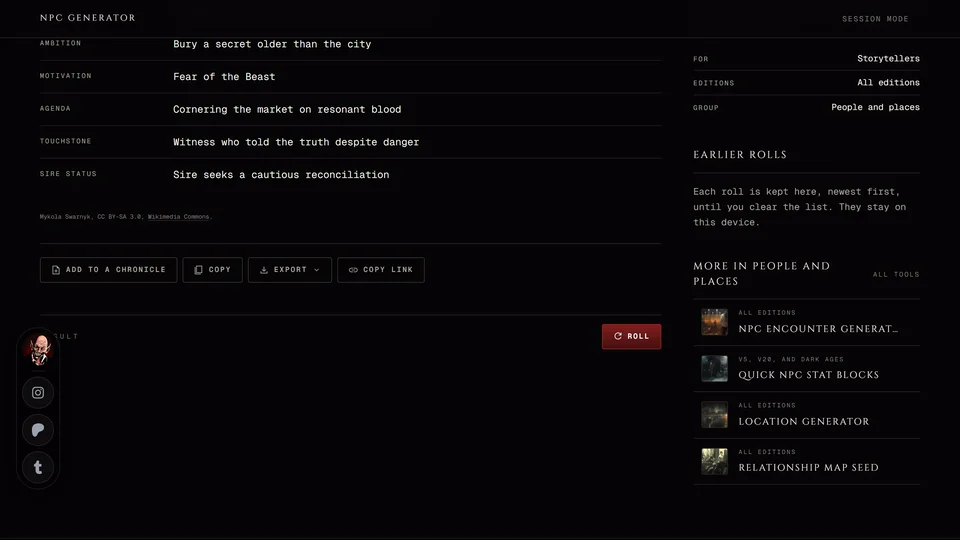
Say you rolled an NPC you like. Add to a chronicle under the result puts that NPC straight into a chronicle you run. A few other tools write into one of your characters instead with Import to a sheet. Both need you to be signed in. If you're signed out the panel says what an account would let you do and offers Log in / Join.
Without an account you can still copy or export a result. See Copy, export and share a tool's result.
Add it to a chronicle
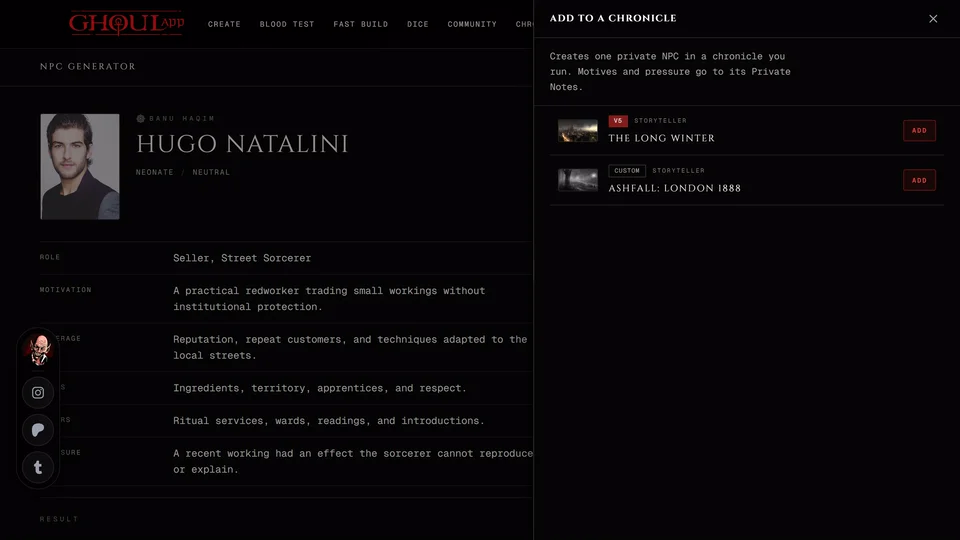
- Under the result press Add to a chronicle.
- A panel opens. It says what will be created and lists the chronicles that can take it.
- Press Add next to one. The button reads Adding and then Added. If it fails it reads Retry and you can try again.
If the list is empty the panel says "None of the chronicles you run can take this result." That means none of your chronicles fits the result's edition or you don't run one. "Your chronicles could not be loaded." is a connection problem. Close the panel and open it again.
Which chronicles are listed
Only chronicles you run: ones you own or where you're a storyteller or co-storyteller. For an NPC or a location a moderator who may manage NPCs or the map can add them too. The City and Domain Builder is for storytellers only. Players can't add tool results to someone else's chronicle.
The chronicle also has to fit the result's edition:
- A result from a tool that serves every edition goes to a V5, V20 or Custom chronicle.
- A V5 result goes to a V5 or Custom chronicle. A Blood Sigils NPC or location counts as V5.
- A V20 result goes to a V20 or Custom chronicle.
- Dark Ages results go only to Dark Ages chronicles.
- A plot thread from the Plot Hook Event Generator goes only to a V5 chronicle.
- The Handout Maker and the Masquerade Clock take any chronicle you run.
There are no V6 chronicles. A result you roll while set to V6 can still go to a V5, V20 or Custom chronicle. A city rolled in V6 goes to a V5 or Custom one.
What each tool adds
Everything a tool adds starts hidden from players. You decide when to show it from the chronicle.
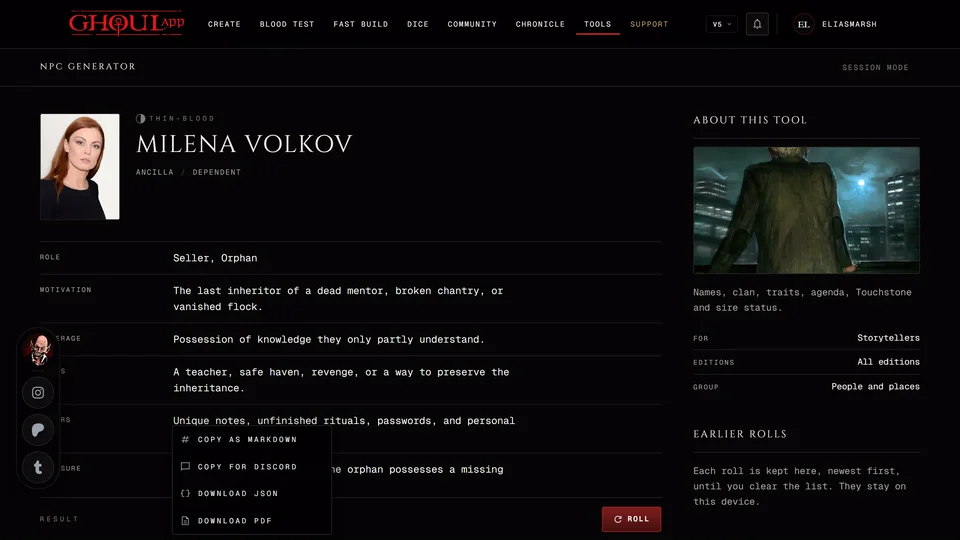
The NPC Generator creates an NPC in the chronicle's edition with the portrait the tool found. Its motives and pressures go into the NPC's Private Notes. If the NPC was made but the notes couldn't be saved the panel says so and offers Retry Private Notes. That saves only the notes, so you don't get a second NPC.
Quick NPC Stat Blocks creates an NPC with the stat block. Its trait and mannerism go into Private Notes.
The Location Generator creates a location that isn't on the map yet. Its description is built from the roll. Place it later from the Chronicle Map.
The Plot Hook Event Generator creates a plot thread. Its title is the arc's opening line. It starts at the seed stage and the other beats go into its summary.
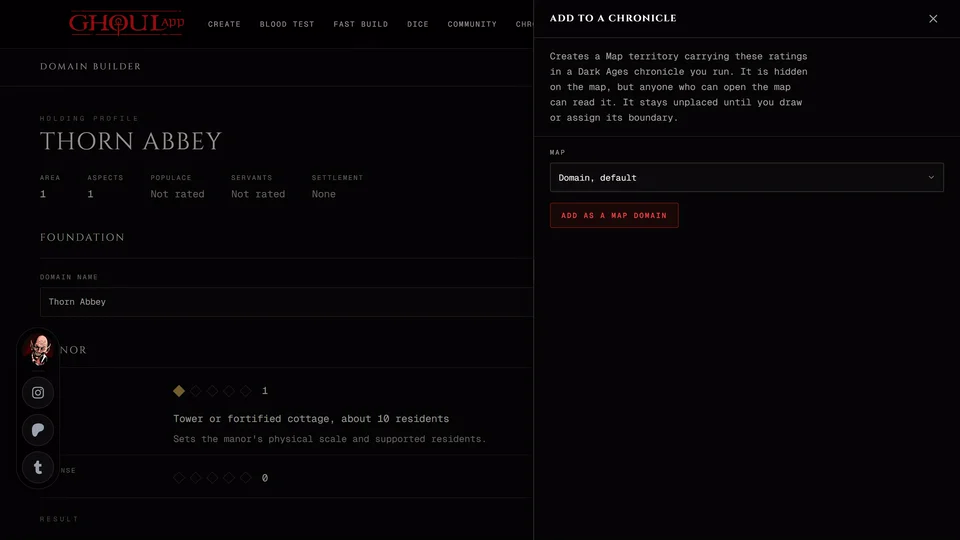
The City and Domain Builder adds a new map with each domain as a territory and a hidden pin at each seat of power. Your other maps don't change.
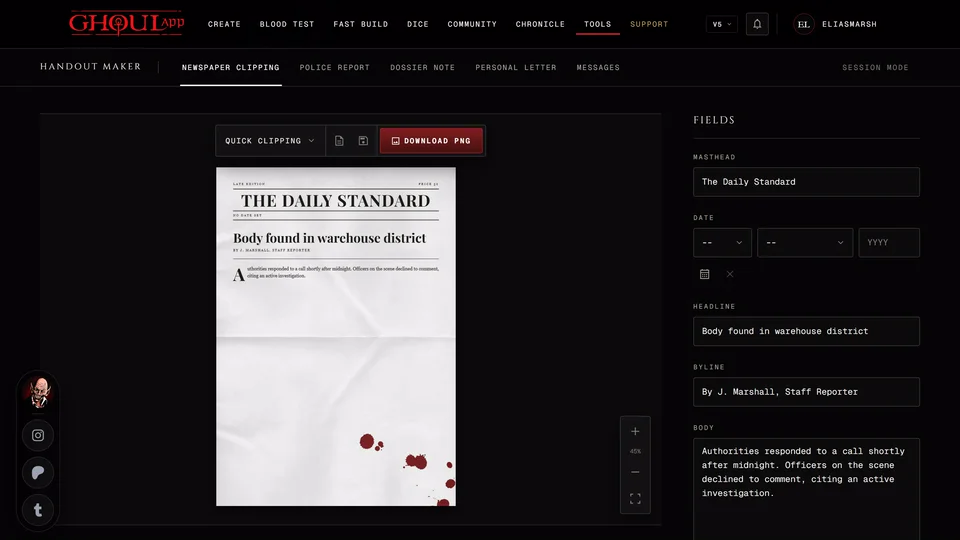
The Handout Maker saves the handout's pages to the chronicle's Handouts. Its panel has a Title field. Leave it empty and the handout takes the template's name.
The Masquerade Clock logs each breach as an event on the chronicle's timeline.
The Dark Ages tools add domains to a map, battles, coteries and timeline events. The Sorcery & Ritual Planner and the Holy Relic Builder add to an NPC who's already in a Dark Ages chronicle instead. See The Dark Ages tools.
The NPC Encounter, Plot Hook, Masquerade Breach, Boon Debt and Kindred Domain generators don't add to a chronicle. Copy or export their results instead.
Write it into a character
A few tools write their result into a sheet of yours.
- Convictions & Touchstones adds the pair to a V5 character who isn't a mortal, as a new pair or in place of one you pick.
- The Resonance Roller adds the Resonance to a V5 sheet. Ghouls and mortals aren't listed. Resonance text you wrote yourself stays as it is.
- The Thin-Blood Alchemy Workbench adds your formula to a V5 thin-blood who has the alchemy method at that level or higher. Only characters that aren't in a chronicle are listed so a chronicle's XP records stay right.
- The Medieval Loadout Builder and the Holy Relic Builder put items in a Dark Ages sheet's Possessions.
- The Sorcery & Ritual Planner adds a rite to a Dark Ages sheet's ritual list.
- The Hunting & Feeding Calculator adds the blood you took to a Dark Ages sheet's Blood Pool and writes the hunt into its hunting log.
Press Import to a sheet. A panel lists your characters of the tool's edition with Search by name or clan at the top. Press Import next to one. It reads Importing and then Imported.
A character that's in a chronicle is marked In a chronicle. It's the same sheet your storyteller sees, so the change shows up there too.
If none of your sheets fits the panel says "None of your V5 sheets can take this." (or the edition the tool uses). Make or pick a sheet of that edition first.
If the sheet was changed somewhere else while the import ran nothing is saved and the panel says so. Try again and it reads the latest version first.
Start a character from a name
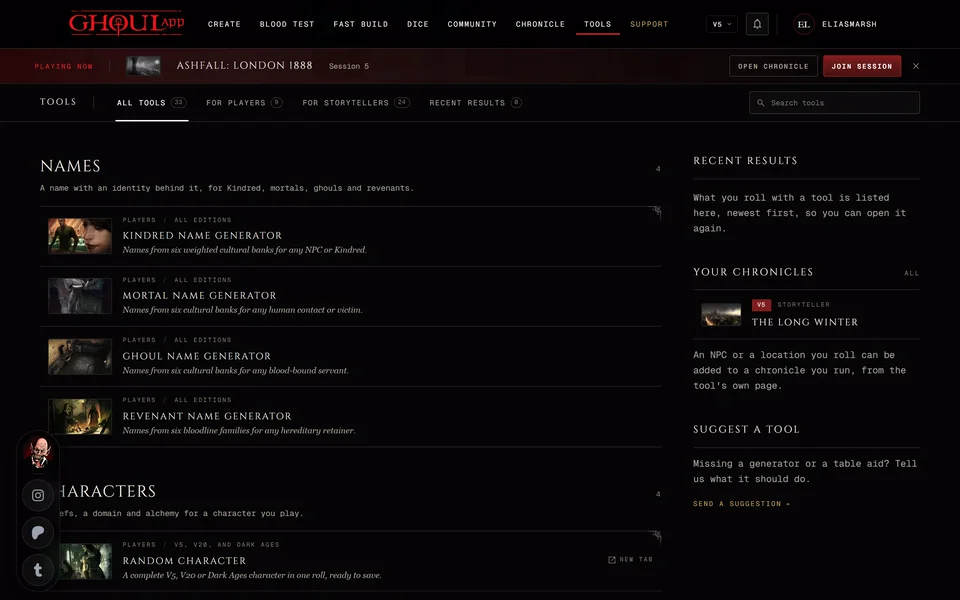
The name generators have Use this name. Press Create a character in the panel and the creator opens in your current edition with that name and the identity that came with it filled in. This works without an account. In V6 only the Kindred and Ghoul Name Generators offer it. See Name and character generators.
Related articles
About this article
- Type
- Guide
- Editions
- All editions
In this article
Need more help?

Ask the team in #ghoulapp-feedback on the Player Companion Discord. Or try #ghoulapp. GhoulApp players are active there and help each other.
Open Discord(New tab)