


The chronicle's own Help section
- BluenchanterAuthor
- OzzEditor


On this page 2
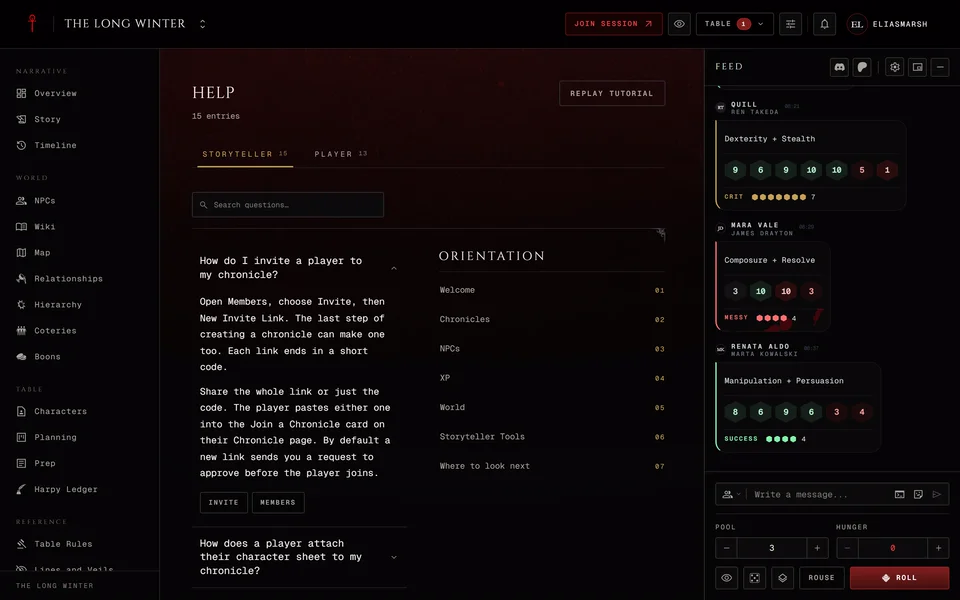
Every chronicle has a Help section in the Reference group. It holds short answers to the questions storytellers and players ask most, on two tabs: Storyteller and Player. Players and observers open on the Player tab and everyone else opens on the Storyteller tab, but anyone can read both.
The first answer on a tab starts open. Press a question to open its answer and press it again to close it. The search box looks through the questions and answers on the tab you're on. Esc clears it. Under an open answer its tags are listed. Press one to see the other answers on that topic.
The tutorial
The Orientation column beside the answers lists the short tour step by step. Press a step to open the tour right at that step. Replay tutorial at the top starts it from the beginning. Each tab has its own tour, so the Storyteller tab replays the storyteller's tour and the Player tab the player's.
The tour moves with Next and Back and ends with Done. Skip closes it at any point. The small marks along the bottom jump to a step.
The tour also opens by itself once in each browser. The storyteller who made the chronicle gets theirs right after creating it. Everyone else gets the player's tour the first time they open a chronicle. It never opens by itself while a storyteller is previewing as a player.
Turning Help off
Help is on in every new chronicle. A storyteller can turn it off in Settings and then nobody at the table sees it. Visitors to a public chronicle never see it.
Related articles
About this article
- Type
- FAQ
- Editions
- All editions
Need more help?

Ask the team in #ghoulapp-feedback on the Player Companion Discord. Or try #ghoulapp. GhoulApp players are active there and help each other.
Open Discord(New tab)