


Table Rules: what your table allows


On this page 8
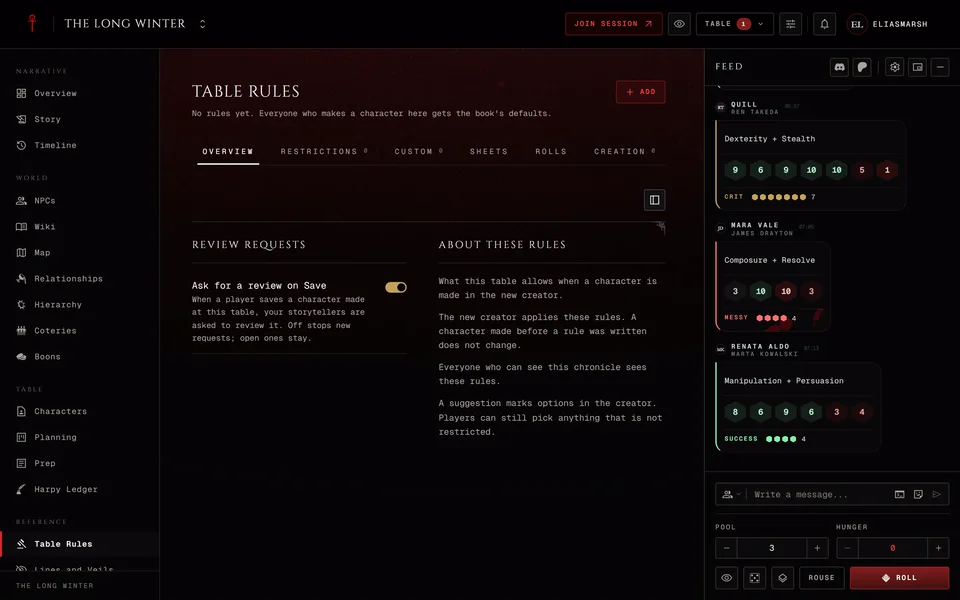
Table Rules in the Reference group is where a storyteller writes down what the table allows. Say your game has no Tremere and starts every character with 10 XP. That's two rules here. The character creator follows both when a player makes a character inside the chronicle. With no rules written, anyone who makes a character here gets the book's defaults.
Everyone who can see the chronicle can read the rules. A storyteller has six tabs: Overview, Restrictions, Custom, Sheets, Rolls and Creation. Players see Overview and also Rolls once the table has set a dice rule.
Which edition the rules are for
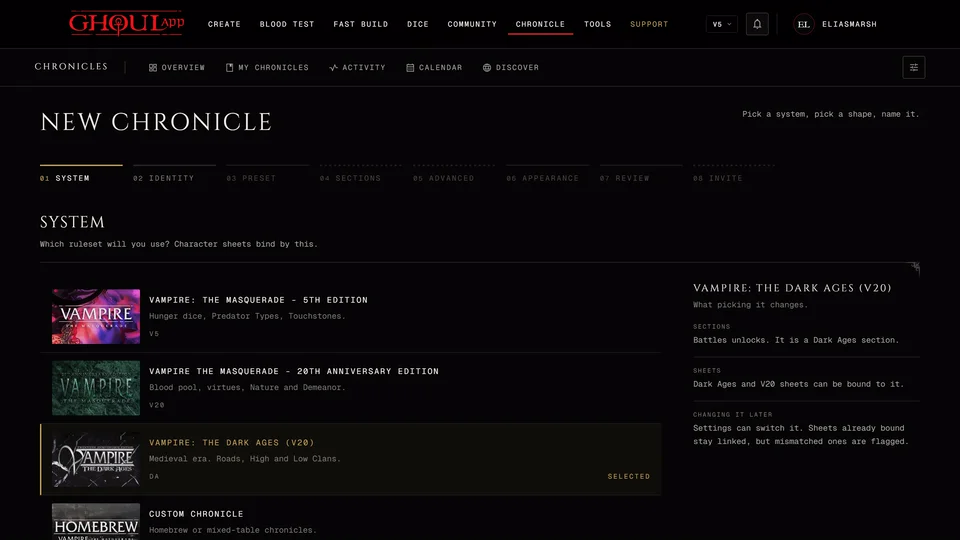
Rules are kept per edition. A V5, V20 or Dark Ages chronicle has one set. A Custom chronicle has a set for each edition its players can use, V6 included. Pick the edition with the Edition chip at the top before you add a rule.
Overview
Every rule on one page. View switches between By kind and By step, which follows the order of the creator's steps. Search rules finds one. A player sees the rules for the whole table together with any rules written only for them.
The Add menu on the storyteller's side holds the shortcuts that suit the edition: Suggest clans, Suggest predator types in V5, Suggest Merits, Add a note on a step and House rule. A suggestion marks options in the creator without holding anything back. A note on a step shows your words (and a picture if you add one) on that step of the creator.
Restrictions
Here you say what a new character can't take. Each area has its own button, such as Restrict clans, Restrict Discipline, Restrict Merit or Restrict Background. The areas depend on the edition. V5 adds predator types, Discipline powers and Loresheets. V20 adds Paths of Enlightenment and sorcery paths. Dark Ages calls its paths Roads and lists standings in place of sects. V6 has clans, Skills, Disciplines and Discipline powers.
A Custom chronicle can also restrict whole editions with Restrict Edition. Nobody can then make a new character in that edition here. Sheets that already exist and characters already bound aren't affected.
Every rule asks two things. Applies to is Everyone or Selected players, so you can hold something back from one player and leave it open for the rest. Then pick Blocks the step or Warns only. Blocks the step keeps the player on that creator step until the character meets the rule. Warns only shows the rule and lets them carry on.
A clan can also get a Highest rating allowed. 0 shuts it out completely. 1 or more keeps it open up to that rating.
Custom
Your table's own content: homebrew clans, Disciplines, Merits, Flaws, Backgrounds, Skills and rituals plus Loresheets and predator types in V5 and Paths (Roads in Dark Ages) in V20. Press Add content to write one from scratch or start from the book's catalogue and change it. Players at the table can then pick it in the creator.
Removing an entry doesn't touch characters who already took it. Their sheets keep it.
V6 keeps lineages by name and has no homebrew content, so this tab stays empty for V6.
Sheets
This tab is about the sheets already at the table.
XP costs sets what each kind of trait costs on sheets here, as a multiple of the book price. 1 is the book price, 2 doubles it, 0.5 halves it and 0 makes it free. You can go as high as 10. Combination Disciplines, Blood Sorcery secondary paths and Flaws always keep the book price.
Restrictions on sheets means your restrictions also hold on sheets bound to the table. A sheet can't newly take what's restricted but keeps what it already has. You can turn a restriction off for sheets only or give it its own reason there.
Below that your custom content is listed with the characters who hold it. Edit an entry and its holders' sheets keep the old text until you press Update their sheets. Updating copies the text across. For a Discipline it also adds the powers you added. It never changes dots, points or ratings. Grant puts a Skill, Discipline, Merit, Flaw or Background straight onto the characters you pick without spending XP. From other tables shows content your players' characters brought with them from chronicles they played before.
Rolls
How dice behave at your table, per edition. Every rule starts as Each player decides. V5 has rules for Merits and Flaws in rolls, Specialties, Rouse Checks for powers, Difficulty and Crippling injury. V20 and Dark Ages have Merits and Flaws in rolls, Specialties, Blood Points and Willpower for a success. V6 has Merits and Flaws in rolls, Specialties and Difficulty.
Most rules take Off, Ask or Auto. Auto applies it on every roll, Ask asks the player first and Off leaves it out. Difficulty and Crippling injury are only On or Off. A value you set is a suggestion: it becomes the default for anyone who hasn't chosen their own. Turn on Everyone to make it the same for every player. Their dice settings then show it as set by the table.
You can also write up to 30 House rules, each with a Name and an Effect.
Dice are rolled on each player's device, so these are rules the app follows for you. They aren't a lock nobody could get around.
Creation
Limits and starting values for a new character. Set a limit caps the highest Attribute, Skill, Discipline or Background, Merit and Flaw points and the range for Humanity and Willpower. V20 and Dark Ages also limit freebie points. V6 has only the Attribute, Skill and Discipline limits. The Generation limit lets you tick the Generations a new vampire may not start at. Leave at least one open.
Set creation dots replaces the book's starting dots for Attributes, Skills and Disciplines. Each kind of character has its own package, so you can change the vampires and leave ghouls on the book values. Set starting XP gives new characters XP to spend. V6 doesn't have it.
These limits only apply inside the creator. Once a character is made, spending XP and editing the sheet aren't held to them.
What happens to characters
A character made before you wrote a rule doesn't change. When a player binds a sheet that breaks a rule it still binds. They see how many rules it doesn't meet with a link to See the table rules.
If Ask for a review on Save is on (it starts on) you're asked to review each character a player saves in the creator here. They show up under Character Requests on the Characters page. Turning it off stops new requests and leaves open ones where they are.
Related articles
About this article
- Type
- Guide
- Editions
- V5, V20, Dark Ages, V6, Custom
Need more help?

Ask the team in #ghoulapp-feedback on the Player Companion Discord. Or try #ghoulapp. GhoulApp players are active there and help each other.
Open Discord(New tab)