


Chronicle settings
- Lithaner555Author
- OzzEditor


On this page 7
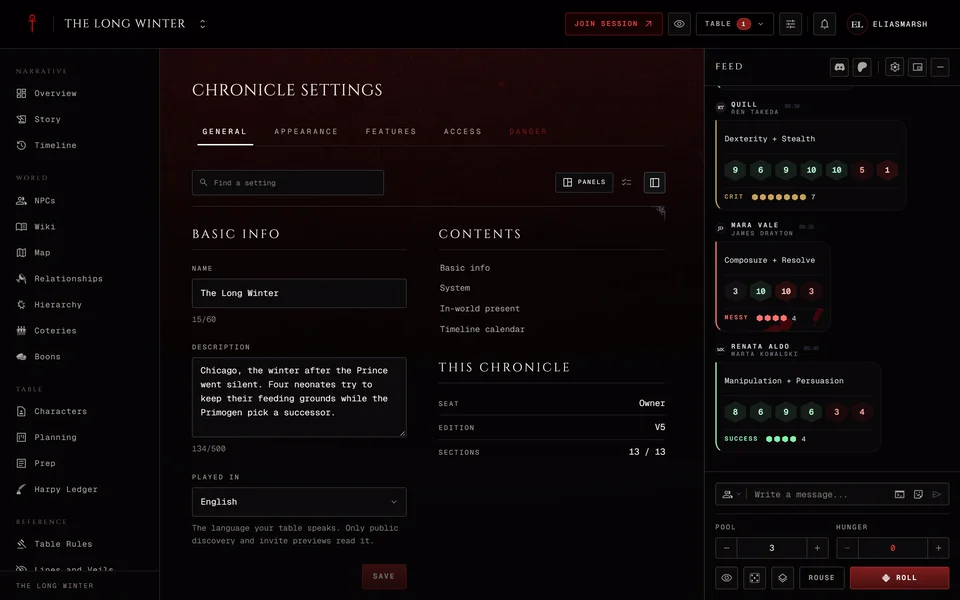
Settings is the last item in the Reference group. It opens for the storyteller, for co-storytellers and for a moderator who has the Edit chronicle permission. Nobody else sees it in the menu. The page has up to five tabs: General, Appearance, Features, Access and Danger.
Most settings save the moment you change them. Four blocks are forms with their own Save button instead: Basic info, In-world present, Timeline calendar and Clan standing. The symbol choices on the Appearance tab save from their own panel too. While Basic info, In-world present or Clan standing holds a change you haven't saved the General tab turns gold.
Finding a setting
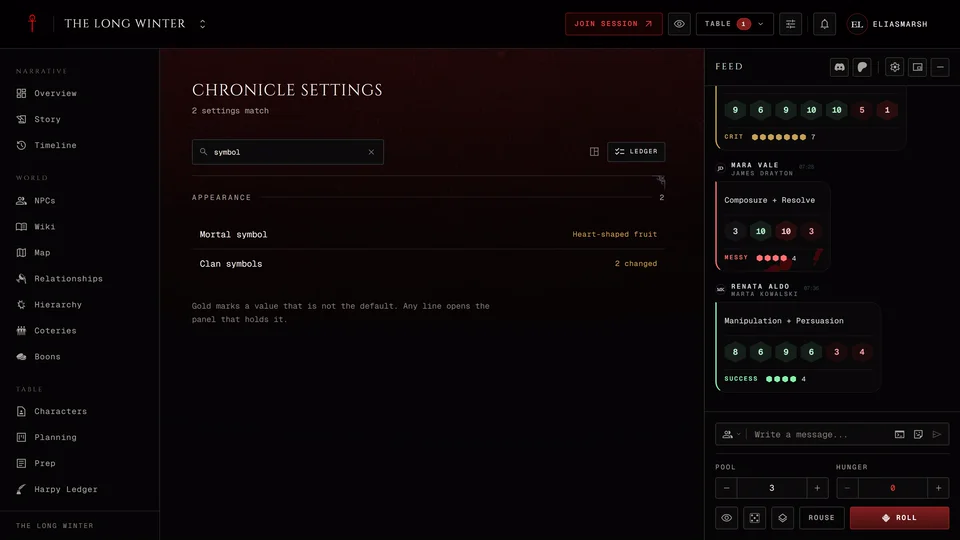
Find a setting at the top searches every tab at once. Type a word like "pins" or "facade" and the page lists every setting that matches with its current value, whichever tab it's on. Press a line to jump to the block that holds it. Esc clears the search.
The two buttons beside the search choose how you read the page. Panels is the normal page with its tabs and controls. Ledger lists every setting from every tab on one page with its current value. A value in gold is one you changed from what a new chronicle starts with. Any line opens the panel that holds it. The page remembers your choice for this chronicle in this browser.
On a wide screen a column beside the panels lists the blocks on the tab you're on. Press one to jump to it. Contents shows or hides the column. A number next to a block counts the settings in it you've changed and Unsaved marks a form you haven't saved yet. Under it This chronicle shows your seat, the edition and how many sections are on. On a narrower screen the same column sits under the panels.
General
Basic info holds the Name (2 to 60 characters), the Description (up to 500) and Played in, the language your table speaks. Visitors can filter public chronicles by that language. A table that leaves it on Not set isn't listed under any language.
System is the edition the chronicle runs on: V5, V20, Dark Ages or Custom. The edition decides which character sheets can join and how dice roll. Changing it never edits a character sheet. Sheets already in the chronicle stay in it and the ones that no longer match are flagged on the Characters page. New sheets have to match the new system. A V6 character can only join a Custom chronicle. The same block holds Sect: Camarilla, Anarch or Sabbat. It only changes the words the table sees, so coteries become Crews or Packs and boons become Favors or Debts. Rules, characters and saved groups stay as they are.
In-world present is the date your story has reached, as a Year or an Exact date. NPCs with a birth year show their real age from it and the Timeline uses it as "now". Leave it empty and NPCs show no real age. The Timeline then measures against today's date. A Dark Ages chronicle measures against 1242.
Timeline calendar decides how dates read on the timeline. Every chronicle picks a Default view and can add era labels such as BCE and CE or a year zero. A Custom chronicle can also switch the Calendar from Real-world to Custom and build its own months with Add month. A custom calendar needs a start date and at least one month before it saves.
Clan standing only appears in Dark Ages chronicles. Mark each clan High or Low. Use the Players Guide roster fills in a suggested split. The standing shows as a tag on character and NPC pages and has no effect on dice.
Appearance
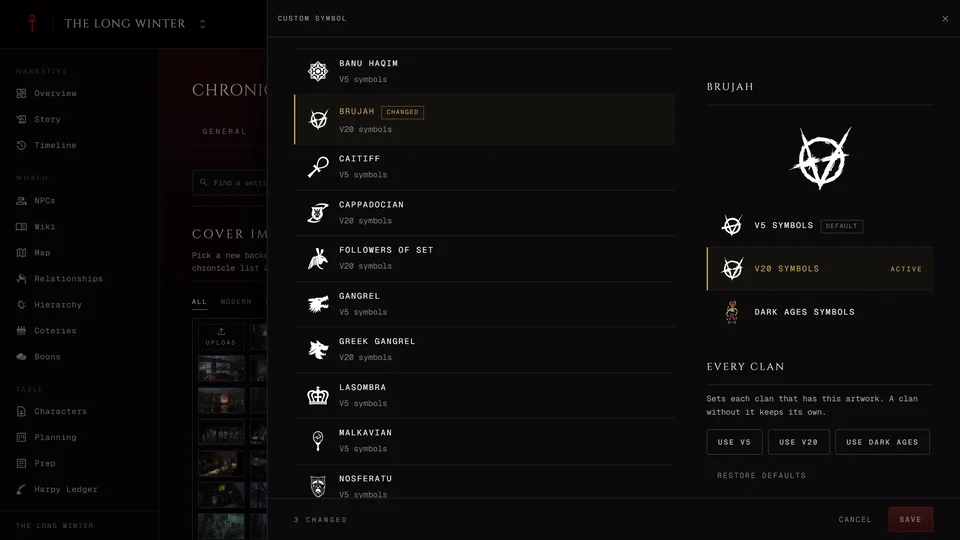
The cover image, the backdrop and fonts, the clan and mortal symbols and the map's colours. See Chronicle cover, theme and layout.
Features
Management decides who may change the sheets in the chronicle and where XP is kept. How a chronicle manages sheets explains the four modes and their switches. Under the mode XP prices says whether this table changed any XP cost and Open Table Rules takes you to the prices.
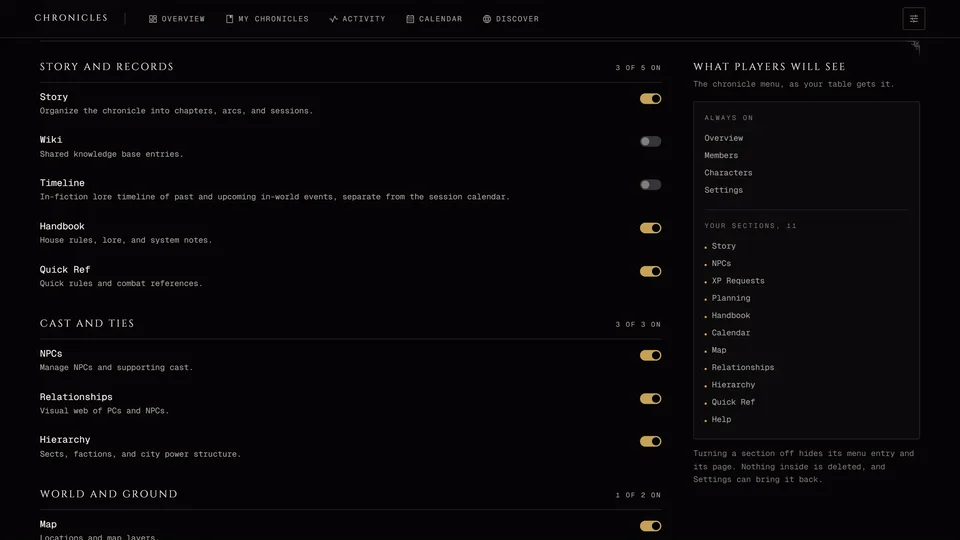
Features is the block of section switches. See Turn chronicle sections on or off.
The rest of the tab is a run of switches, each with a line under it that says what it does right now.
- Portrait media decides whether editors can upload pictures from their device and use the saved portrait gallery. Turning it off hides new uploads and keeps every portrait already there.
- Screen damage on portraits draws Health damage over character and NPC portraits in the chronicle and its live sessions. It's on in new chronicles and it wins over each character's own display choice.
- Messages between players has three choices. Off is the first. In the second players can message each other and the storyteller can read it. In the third they message each other privately. It starts off. Threads with the storyteller are always open and a thread keeps the rule it started with. Aftercare after a session in the same block lets players send the storytellers a word after the game. It starts on. See Messages.
- Our theories opens a place where players note what they think ties two people together. It starts off.
- Players can post images lets players post pictures in the session feed. It starts off.
- Safety cards picks which cards players can send from a live session and whether the whole table sees a card or only the storytellers.
- Record sheet changes in Lifecycles writes each Humanity, Generation and similar change a player saves into that character's Lifecycles history. It never blocks a save. It starts off.
- Coterie lifecycles and stats shows domain, tension and exposure on the coteries page. With it off the page shows each group by its members. It starts off.
- Wiki Publishing decides whether new articles from contributors go live at once or wait for your approval. It starts on approval. In a public chronicle you're asked to confirm before you turn on publishing at once.
- Location management lets you make a player the editor of a location. It starts on. Player haven linking lets players link their character's haven to a map location themselves. Player map pins lets players add their own pins and can publish them at once or hold them for your review. Both start off.
- Facade lets NPCs and characters show a false identity. Enable facade is on to begin with. Let players use facade lets players give their own sheets one and starts off.
Access
Roles & Permissions changes a member's role and a moderator's permissions. See Storytellers, players and moderators. Invite Links & Access is a shortcut: Open Invites & Requests takes you to the invites on the Members page, where you make links and answer join requests.
Public Character Sheets decides whether a player's public character sheet may show this chronicle's name and cover while the chronicle itself is private. It starts off. Public Sharing makes the chronicle readable by anyone. Only the storyteller who owns the chronicle sees it. See Make a chronicle public.
Danger
Archive or delete the chronicle. Only the owner sees this tab. See Archive or delete a chronicle.
Who can change what
The storyteller who owns the chronicle sees all of it. A co-storyteller sees everything except Public Sharing and the Danger tab. A co-storyteller can't change another co-storyteller's role either.
A moderator with Edit chronicle gets a smaller page. They can change Basic info, the cover image and the section switches except XP (and Battles in a Custom chronicle). With Edit wiki they also get Wiki Publishing. With Manage invites they get the Access tab with the invite shortcut. Everything else on the page is hidden from them.
Related articles
About this article
- Type
- Guide
- Editions
- V5, V20, Dark Ages, V6, Custom
In this article
Need more help?

Ask the team in #ghoulapp-feedback on the Player Companion Discord. Or try #ghoulapp. GhoulApp players are active there and help each other.
Open Discord(New tab)