


Find your way around a chronicle
- Lithaner555Author
- OzzEditor


On this page 4
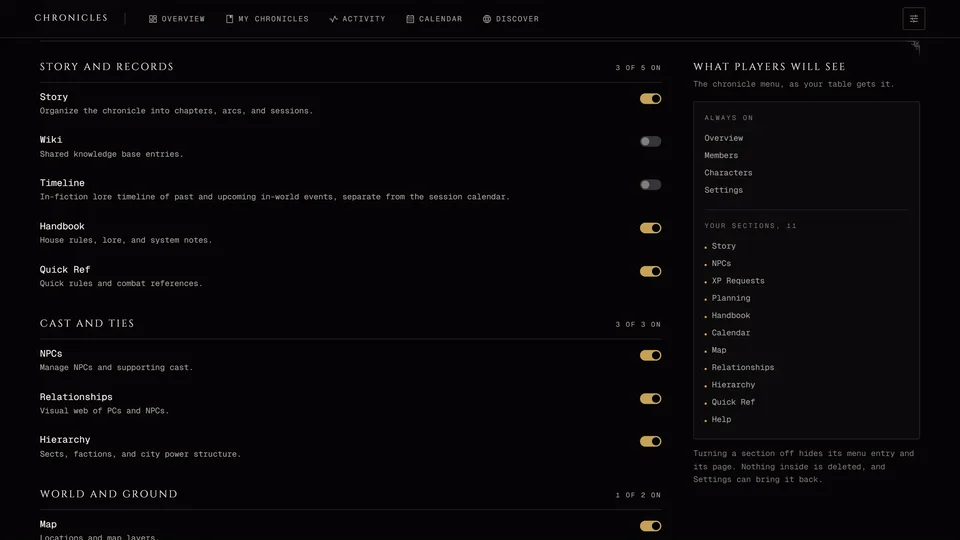
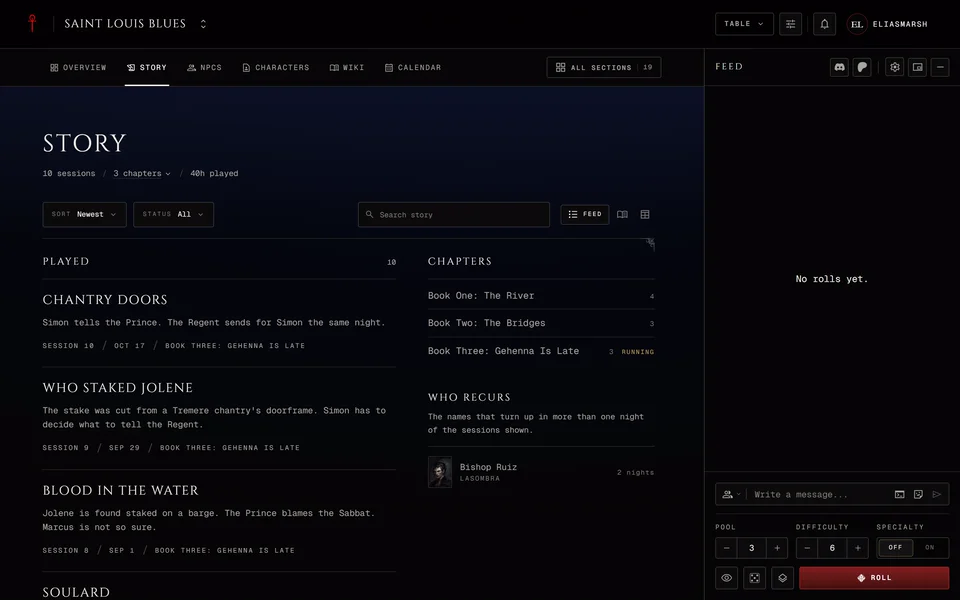
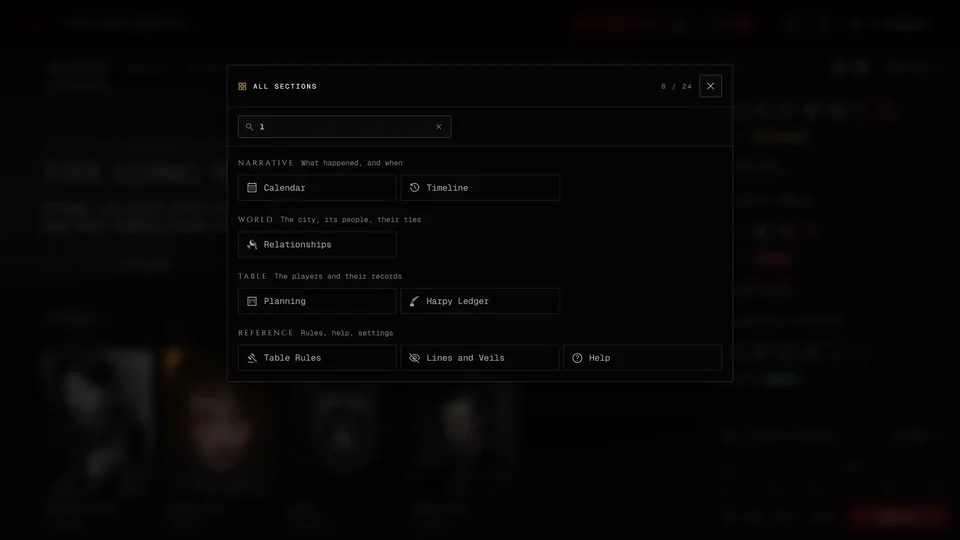
Every chronicle is split into sections and the sections sit in four groups: Narrative, World, Table and Reference. Which sections you see depends on what the storyteller turned on, on your role and on the chronicle's edition. The fastest way to any of them is Ctrl+K (Cmd+K on a Mac). It opens All sections from any page of the chronicle. Type part of a name and pick it. Esc closes it. The keys do nothing while you're typing in a field, so click outside the field first.
The four groups
Narrative is what happened and when. Overview is the chronicle's first page, the one you land on when you open it. Story holds the chapters, sessions and storylines. Calendar has the table's sessions and events, while Timeline is the history of the world itself with in-fiction dates. Notes are your own notes. Players and storytellers have them. Observers and moderators don't.
World is the city, its people and their ties: NPCs, the Wiki, the Map, Relationships and Hierarchy. Coteries and Boons live here too. In an Anarch chronicle they're called Crews and Favors and in a Sabbat chronicle Packs and Debts. Battles shows up only in Dark Ages chronicles and in Custom ones where the storyteller switched it on.
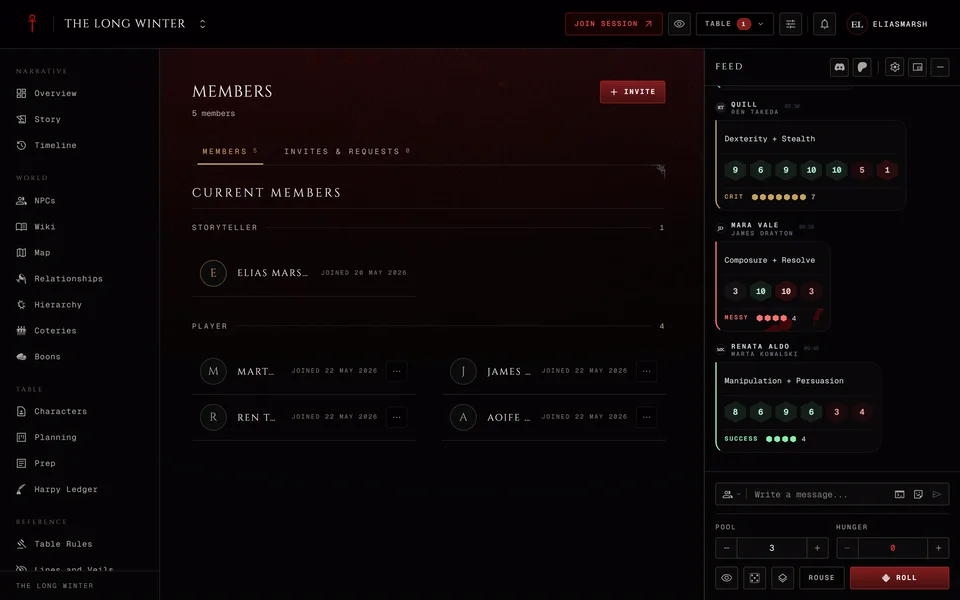
Table is the players and their records. Characters lists everyone's characters and it's where you bind your own. Members lists the people at the table and holds the invites. The rest of this group is for the storyteller. The XP page takes its name from how the chronicle runs XP, so you'll see XP Requests, XP Activity or XP Log (see How a chronicle manages sheets). Planning and Prep are the storyteller's working pages and a moderator with the planning permission can open both. The Harpy Ledger also opens for a player whose character holds the Harpy or Chancellor title.
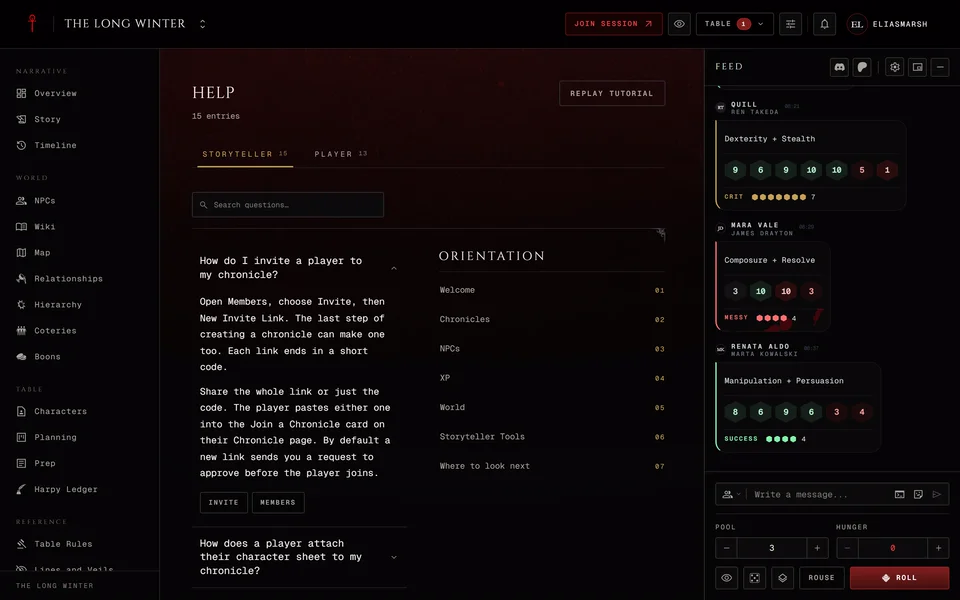
Reference is rules, help and settings. Table Rules shows what this table allows when you make a character. Lines and Veils lists the subjects the table keeps out of the game or off screen. Quick Ref is a searchable rules index for the chronicle's edition and the Handbook holds the storyteller's house rules and lore. Help answers common questions and replays the tutorial (see The chronicle's own Help section). Settings is for the storyteller and for a moderator allowed to edit the chronicle.
On a computer
Sections run down the left side by default. You can change that with Layout in the chronicle's header. Its Navigation choice has three settings. Band puts seven sections across the top and the rest behind All sections. On a narrower screen the band holds fewer. Groups puts the four groups across the top with that group's sections underneath. Rail keeps every section down the left side, grouped and always in view.
Calendar, Members, Notes and the XP page also sit in the header's Table menu in every layout. A number on the menu means something is waiting there, like a join request or an XP request. With Rail those four aren't repeated in the side list. The header also has Preview as player for a storyteller, the session button when you can start or join a session, the bell for notifications and your avatar menu.
The Layout choice is yours alone and is saved in this browser. A storyteller can also set a layout for everyone. See Chronicle cover, theme and layout.
On a phone
The bottom bar has Overview, Sections, Dice, Alerts and Profile. Join shows up there while a session is running. Sections opens every group in one sheet, Calendar, Members and Notes included. The menu button at the top opens the same list as a drawer with a link back to all your chronicles. Layout is the last item in that list.
Inside Quick Ref
In Quick Ref Ctrl+K searches the rules instead of the sections. It looks through rule titles, summaries and their text. With the search box empty it lists your pinned rules first.
Related articles
About this article
- Type
- Guide
- Editions
- All editions
In this article
Need more help?

Ask the team in #ghoulapp-feedback on the Player Companion Discord. Or try #ghoulapp. GhoulApp players are active there and help each other.
Open Discord(New tab)