


The Cast stage


On this page 6
Say the coterie walks into the Prince's court. You put the Prince, the Seneschal and the player characters in the cast and give the Prince the word. Everyone at the table sees the same picture: the Prince forward and fully lit, the others dimmed behind.
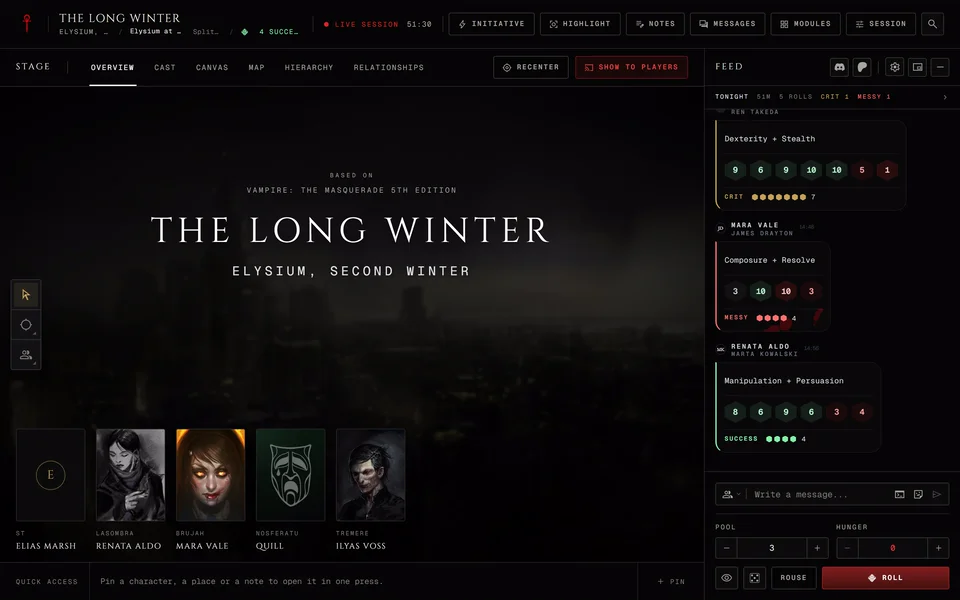
Cast is one of the storyteller's stage tabs, right after Overview. Players don't have tabs. Their stage shows whatever you put up. The Cast stage works the same in V5, V20, Dark Ages, V6 and custom chronicles. Only the clan names and the crests on a face without a portrait follow the chronicle's edition.
Building the cast
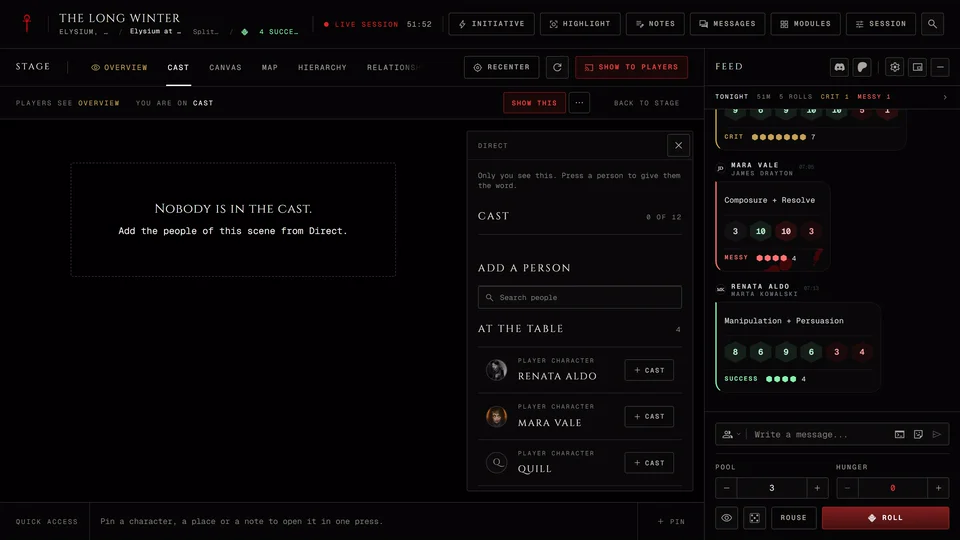
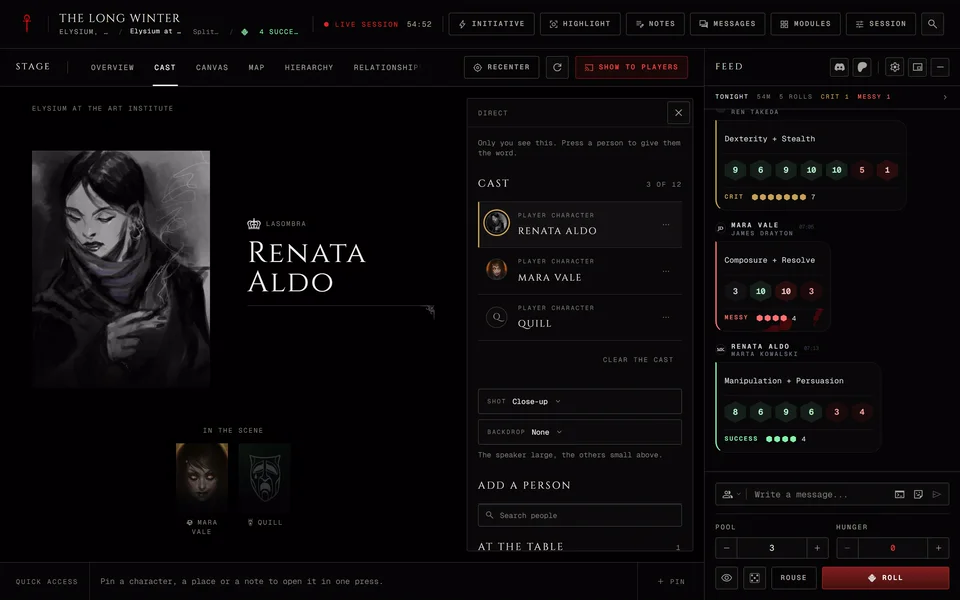
Open the Cast tab. On a computer Direct opens by itself at the right edge of the stage. Hide Direct closes it and the Direct button brings it back. On a phone the stage starts with Direct closed so you see the whole shot. Press Direct at the bottom right and it opens from the bottom of the screen. Only you see this panel.
Direct runs from top to bottom in the order you'll use it. Under a short hint sits the brief for whoever has the word. Then comes the cast itself with a counter like "4 of 12". A cast holds twelve people. When it's full the add list goes away and the panel says "The cast holds twelve faces. Remove one to add another."
Add a person at the foot of Direct has a search box and two lists: At the table for the player characters and NPCs for the chronicle's NPCs. It shows the first five NPCs until you type a name. Anyone already in the cast drops out of the lists.
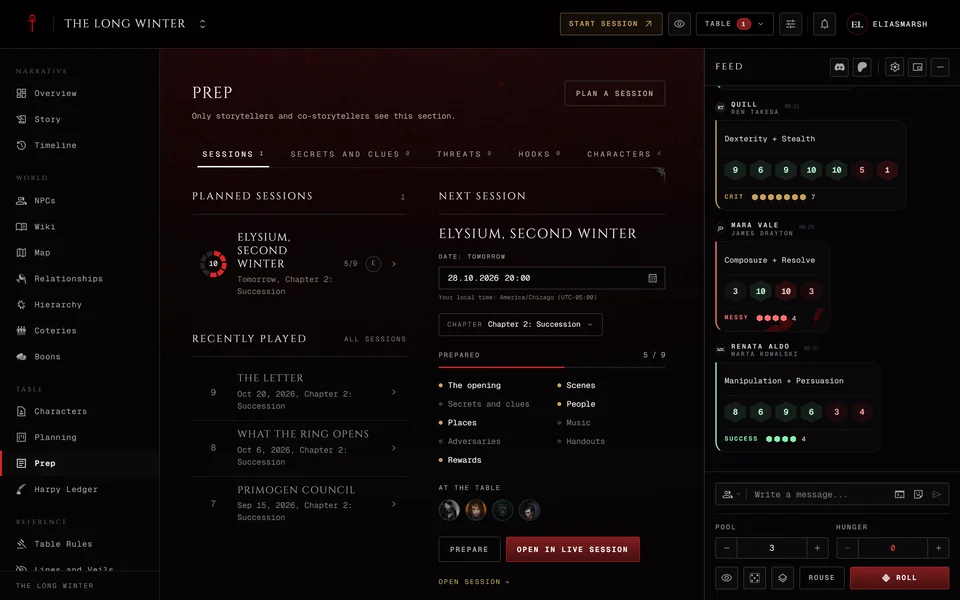
If the session has a Prep page with people on it you'll see a button like From Prep (3). It adds the Prep page's people who aren't in the cast yet. The number tells you how many. Clear the cast empties it.
Giving someone the word
Press a person in the cast list and they speak. The speaker stands forward and fully lit. Press them again and nobody speaks.
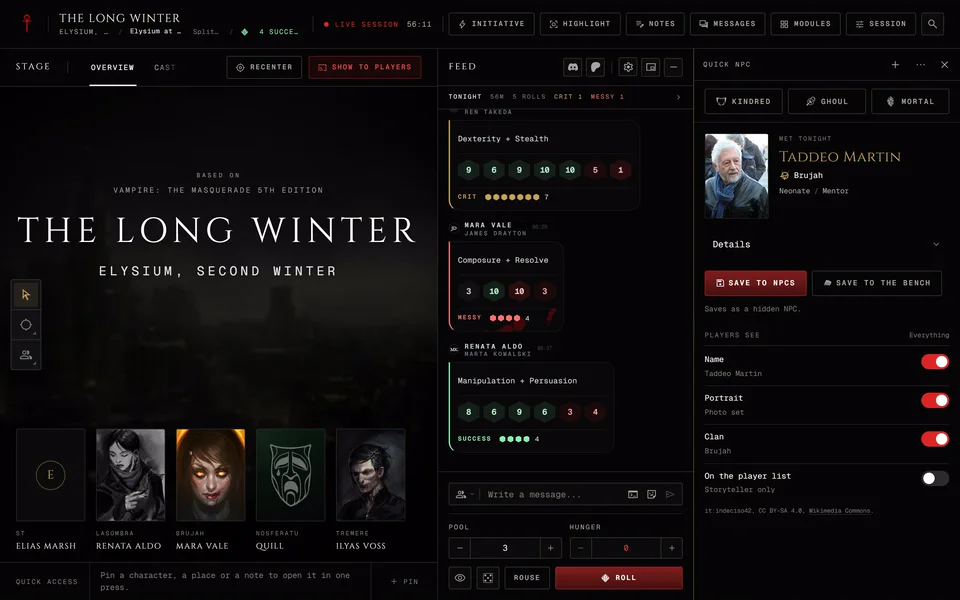
When an NPC speaks they also become the spotlight, the same as Highlight in NPCs and adversaries during a session. If players can't see that NPC yet the app asks whether to reveal them. The NPC has the word either way. Say no and the players see an Unknown face speaking. Say yes and the NPC is revealed to players for good, so think before you confirm. A player character who speaks doesn't take the spotlight.
Each row has a menu named More for and the person's name. It holds different things depending on who the row is:
- Appearance picks another portrait for an NPC who has more than one. Own portrait goes back to their usual one.
- Reveal name shows a name you hid. For an NPC players can't see at all it opens the NPC's page instead so you can change who sees them there.
- Move to the other side shows up in the Two-shot and Sides shots.
- Remove takes them out of the cast.
Shots and backdrop
Shot and Backdrop show up in Direct once the cast has someone in it. The line under them describes the shot you picked.
The shot decides how the cast stands. Close-up shows the speaker large with the others small above. Two-shot puts the speaker face to face with whoever spoke before. Together lines everyone up with nobody forward. Crowd packs the room with the speaker in front. Sides splits them into two groups facing each other, good for a negotiation or a trial.
In Sides a Sides section appears in Direct with a Left and Right switch for each person. An NPC allied with the coterie can stand on the players' side.
For the backdrop pick None or one of the chronicle's places. Only places with a picture are in the list. The picture is drawn blurred behind the figures. A place hidden from players shows no backdrop on their screens.
Tonight
At the bottom of Direct Tonight lists the player characters in the cast with how many minutes each spent there and how long they spoke. It counts from the moment the session went live, so while you prepare nothing has counted yet. It helps you notice who hasn't had a turn. Only you see it.
What players see
Players see the shot, the backdrop and the faces. A hidden NPC shows as Unknown with a blank portrait. A character with a Facade shows the Facade. Pressing a face opens that person's page if the player may read it. An Unknown face does nothing.
When the cast is empty players read "The storyteller has not set a cast for this scene."
When a player's own character is in the cast and an NPC speaks the player gets a short brief under the stage called What you know. It holds their own ties, their boons and past sessions with that NPC. If there's nothing on record it says so. You get a longer brief with the whole table's ties. You can turn yours off with NPC brief under Advanced in the Session menu. Players have no switch for theirs.
Players can't change the cast, the shot or the backdrop. When a player raises their hand (or presses H on a computer) a gold hand shows on their character's face. It isn't drawn on whoever has the word.
The cast strip
On every other stage tab the cast follows you as a row of faces. The speaker has a gold ring. If the only person in the cast is the NPC already in the spotlight there's no strip.
Anyone can drag the strip somewhere else by its grip, Move the cast. Double-click the grip to put the strip back. The browser remembers the spot for each chronicle, once for a phone and once for a computer.
You can add people from the strip with Add a person and give the word by pressing a face, without going back to the Cast tab. Put the Cast on stage switches the stage to the Cast tab. Players get Hide the cast to put the strip away until the cast changes.
If you want to look at another tab without moving the players' stage, see Keep the players' stage while you look something up.
Related articles
About this article
- Type
- Guide
- Editions
- All editions
In this article
Need more help?

Ask the team in #ghoulapp-feedback on the Player Companion Discord. Or try #ghoulapp. GhoulApp players are active there and help each other.
Open Discord(New tab)