


The live table


On this page 6
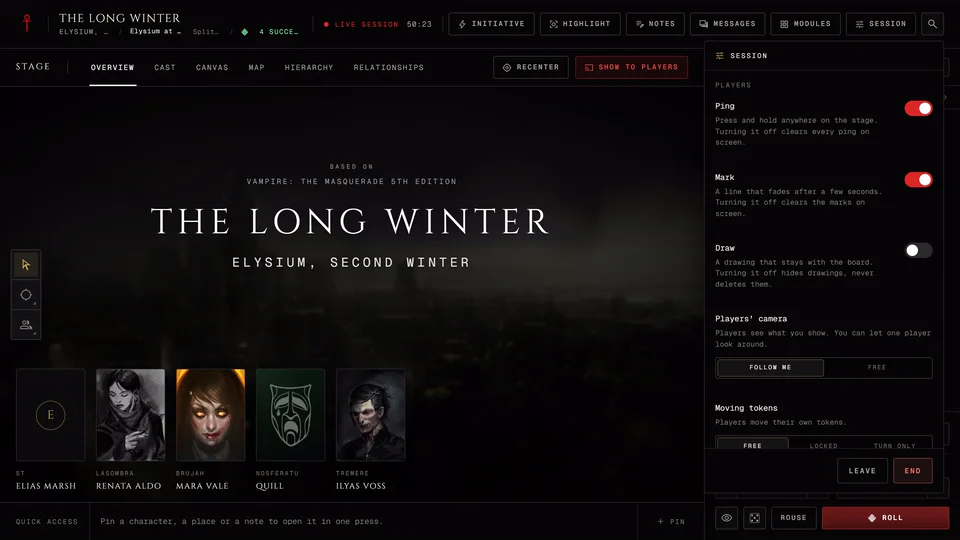
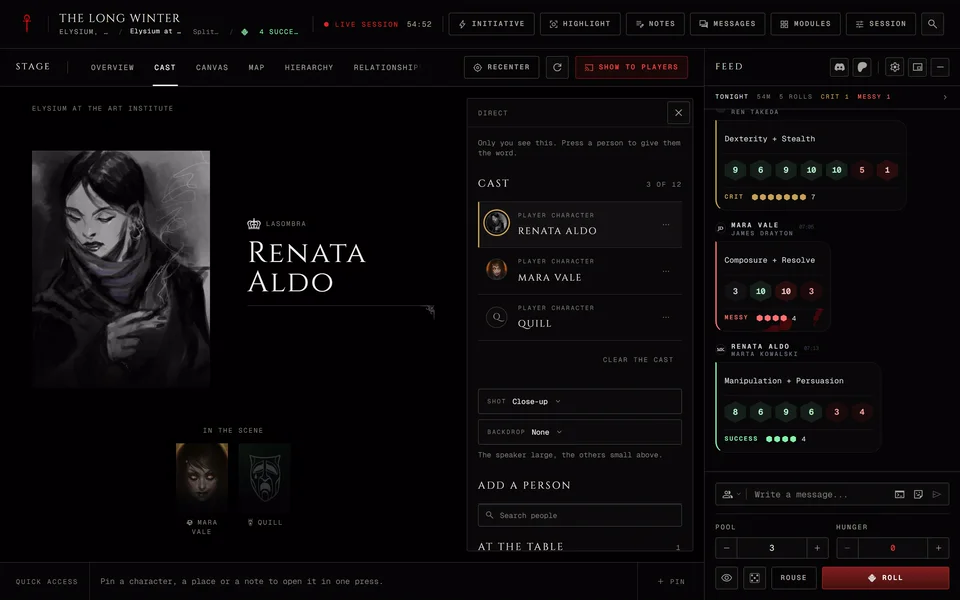
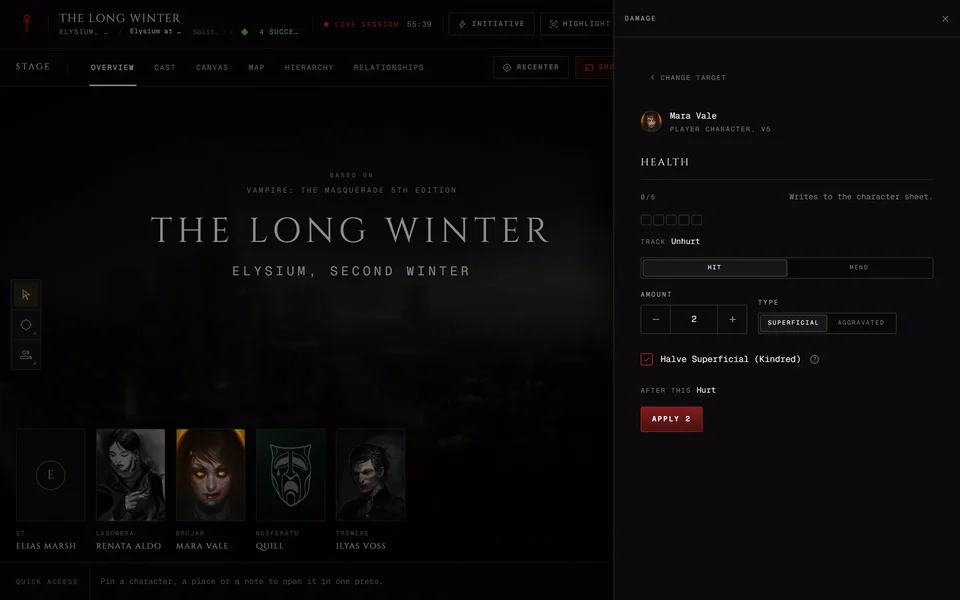
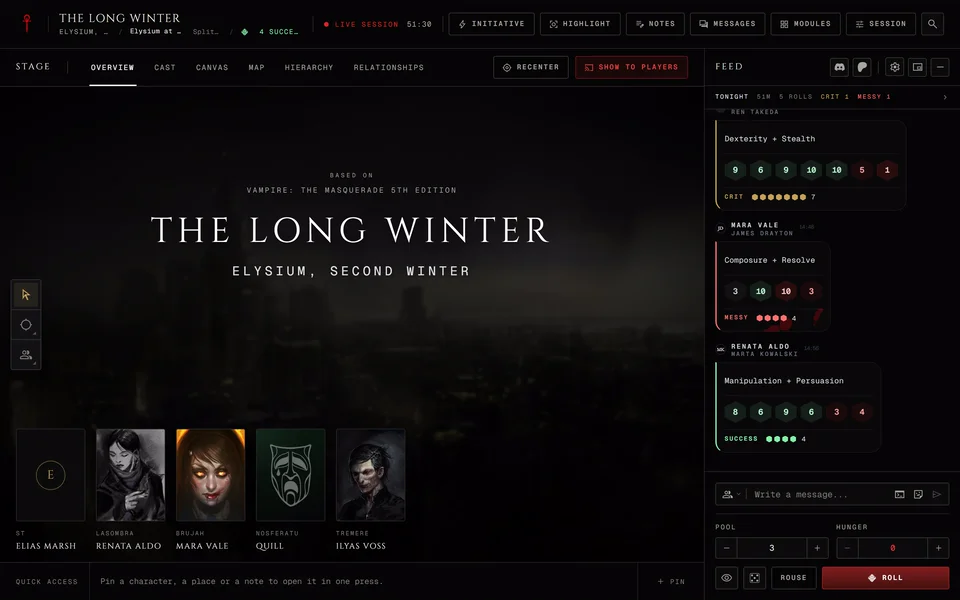
During a session everyone shares one screen, the live table. The stage sits in the middle and shows whatever the storyteller puts up. The dice and chat feed runs beside it and the people at the table are along the edge. How to start a night is in Start a live session and how players get in is in Join a live session as a player. The Session menu, the four views and saved layouts have their own article: The Session menu, views and layouts.
The header
The top row has the chronicle's name. Under it you'll see the session's title and the scene. A storyteller can press the scene and type a name for it, up to 120 characters. Enter saves the name and Esc drops what you typed. If the storyteller started the night without a planned session their header also shows an Unsaved tag in front of the title. Players don't see it.
On a computer the last roll shows on that line too. Hover it and a card opens with who rolled and when, the label, the dice, the result and the difficulty. A roll the storyteller kept hidden says "Hidden from the table."
Next to that the header says where the table is: Live session, Paused, Prep or Session ended. Then comes how long you've been playing, the night clock if the storyteller set one and a running timer. Someone watching without a seat sees Read-only observer there as well.
Then come the faces of the people at the table. Four show at most, then a "+" count for the rest. A gold Hand raised tag appears when someone wants a turn. Press the faces to open At the table with each person's role: ST, Player or Observer.
Players get Raise hand next. The little arrow beside it holds the safety cards, which Send a safety card at the table explains.
The buttons on the right depend on who you are.
- Initiative opens the turn order. While a turn runs it reads "Up:" and the name of whoever's turn it is. Players only get it once the order has someone in it. The whole module is in Turn order, timer and counters.
- Highlight is the storyteller's spotlight. It puts a person or a place in front of the table. More in Roll a quick NPC at the table.
- Notes opens your notes for the night. Observers don't get it.
- Messages opens your private threads. Observers don't get it either.
- Modules lists everything you can open at the table, grouped by what it's for. Storytellers see their own modules in a separate group players can't see.
- Session opens the Session menu.
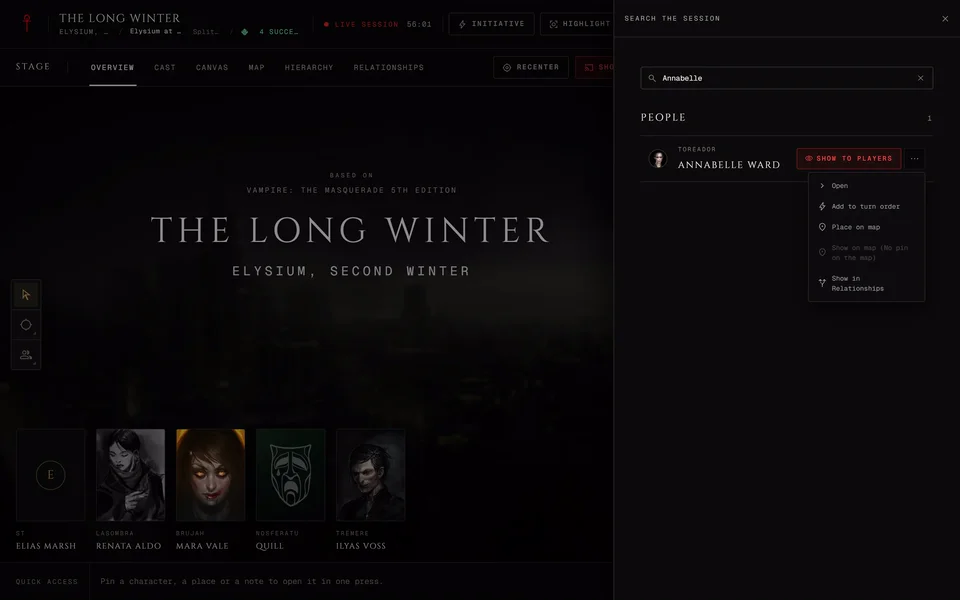
- The magnifier opens Search the session.
When the window gets narrow the buttons drop their words and turn into icons.
Quick access
On a computer the storyteller has a Quick access row under the stage. Press Pin and pick what to pin: a character, an NPC, a wiki article, a location, a handbook entry, a plot thread, a coterie, a Quick Ref rule, a note, a module or a counter. You can pin up to 20. A pin opens in one press later.
Each pin has a small arrow with the actions you'd want right away, like Next turn on the turn order, Play or pause on the music or Show to players on an NPC. Move left, Move right and Unpin sit under those. You can also drag a pin along the row.
My actions
Players get My actions in the same spot. It's your character's rolls, ready to go. Rolling as says which sheet you're rolling for. If you play more than one character in this chronicle Change character swaps it.
The row has Pinned for what you pinned, your Disciplines, your sheet's Tests, Pools and Recent, which keeps the last five pools you rolled. Pressing one gets the roll ready in the tray. It doesn't roll it, so you can still change the difficulty first.
The tests follow your sheet's edition. A V5 sheet has Remorse and a vampire also has Resist frenzy. Ghouls and mortals don't get that one. A V20 or Dark Ages sheet has Willpower and its three Virtues under the names your Path or Road gives them. A V6 sheet has no tests here yet. Its Disciplines work.
The Overview stage
Before the scene starts the stage usually shows Overview. It has the game's name, the chronicle and the session title over the chronicle's cover. If the storyteller highlights a place its picture goes behind instead. With Lobby photo rotation on it slowly cycles through the chronicle's cover and the place photos players are allowed to see. If your device asks for reduced motion the rotation stays still.
Keyboard keys
None of these work while you're typing in a box. Most of them stop once the session has ended.
- Space pauses or resumes the table. It's for the storyteller and does nothing while a button has the focus.
- F lowers or raises the curtain. Storyteller only.
- H raises or lowers your hand.
- R makes a Rouse Check. It works in a V5 session when your bound character can have Hunger.
- Alt+[ and Alt+] open and close the left and right side panels. These still work after the end.
- Esc closes whatever is on top: a side panel, a sheet, a picker or a menu.
- Ctrl+K (or Cmd K on a Mac) opens the session search.
On a phone
A window under 1024 pixels wide gets the phone table, so a tablet held upright counts as a phone. The header shrinks to one row and a bar along the bottom does the rest.
The bar has Stage, Sheet for a player with a character at the table, Feed, People and Tools. A seat without a sheet that can write notes gets Notes in place of Sheet. That's the storyteller and also a player with no character. From 600 pixels wide there's also Modules and for the storyteller Highlight. A raised hand shows as a count on People.
On a phone players tap the hand in the header to raise it. The safety cards are in the same sheet.
Tools opens a sheet that holds the rest. Search is at the top. Then come Modules and Notes when the bar has no cell for them. The storyteller gets the stage buttons there: Highlight, Recenter to snap everyone back to the canvas and Refresh to load the current view again. Then the turn order and the whole Session menu, with Leave and End kept at the bottom.
Related articles
About this article
- Type
- Guide
- Editions
- All editions
In this article
Need more help?

Ask the team in #ghoulapp-feedback on the Player Companion Discord. Or try #ghoulapp. GhoulApp players are active there and help each other.
Open Discord(New tab)