


The chronicle log after a session


On this page 5
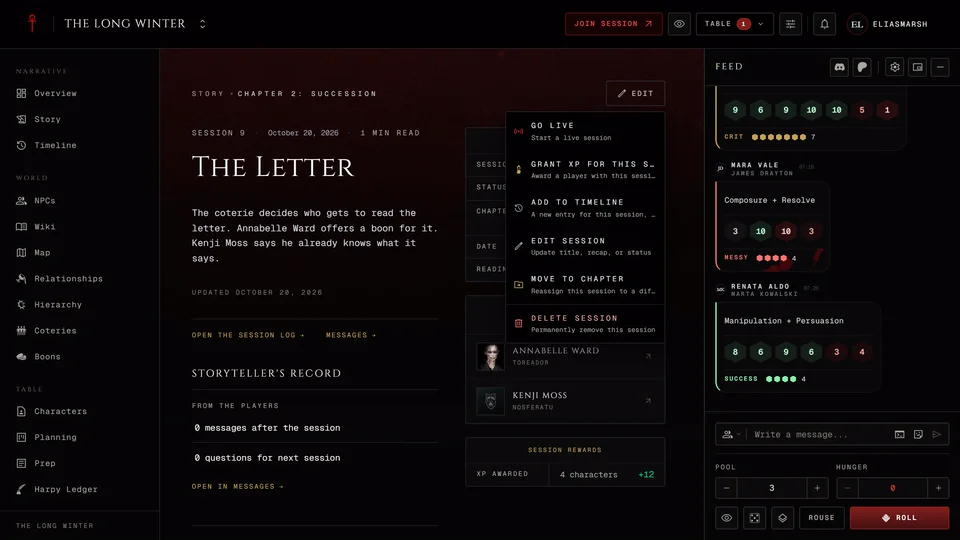
Everything rolled and said at the table is kept in the Chronicle Log. The quickest way there is a played session's page in Story. Press Open the session log at the bottom of it. In the dice and chat feed the "Session ended" line between two nights also opens it.
The log's first page is Recorded sessions with one row for every session that went live, its date and how long you played. Rolls and talk from when no session was running sit in their own row called Outside sessions. They're kept and you can search them. Nothing shows up until a first session goes live, because the log starts recording from that moment. If a session is deleted from Story its log moves to Outside sessions.
Reading a night
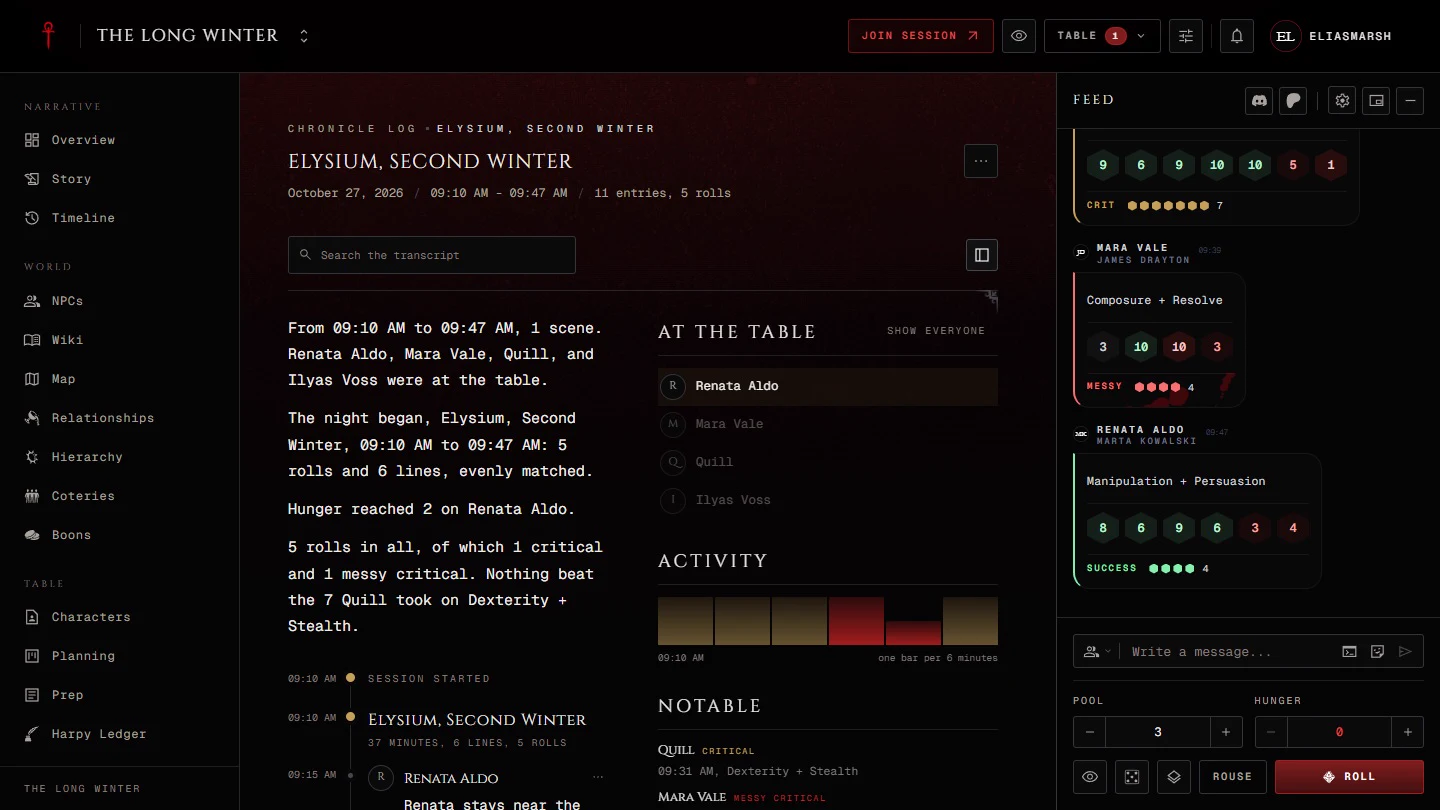
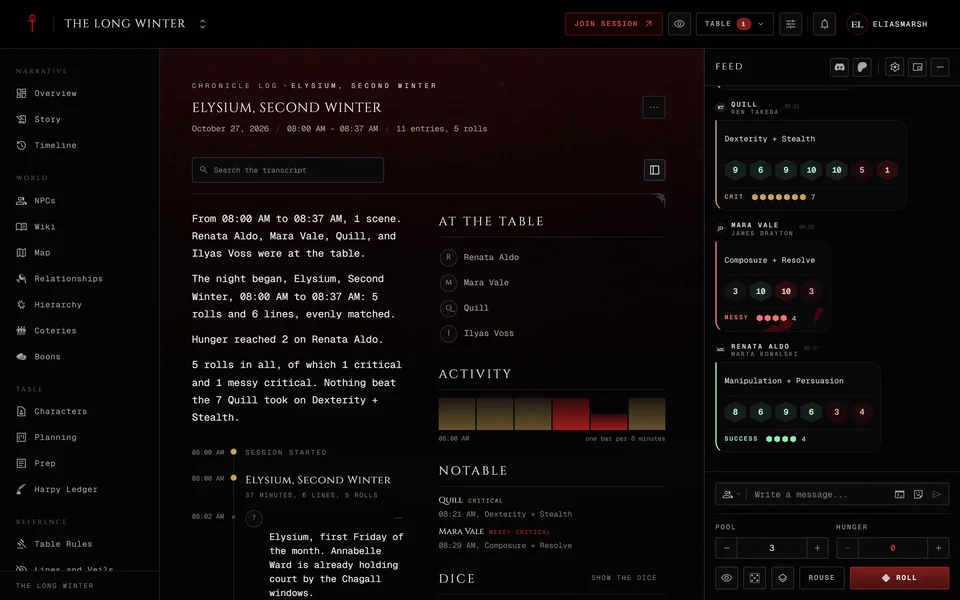
Open a row and you get that night from start to finish. Under the title the header lists the date, the night in the game if your chronicle's clock is set, the time you played and how many entries and rolls there were. Under that a few sentences sum up the night: who played, the scenes and how the dice went. Then comes every line in order. A long night loads in parts and Load older fetches the earlier ones.
Search the transcript at the top finds a name or a word.
The side rail is called At the table. You can fold it away with its button in the header. It holds four things:
- At the table lists who was there. Press a name to see only that person's lines. Show everyone appears in the section's header and brings the rest back.
- Activity draws the night as bars, one for each stretch of time. Taller is busier. Red marks where a roll went wrong. Press a bar to jump there.
- Scenes lists the scenes you moved through. Press one to jump to it.
- Notable shows up to six rolls that went very well or very badly, with who rolled them. Storytellers also see who spoke for a minute or more. Press one to jump to it.
Rolls and editions
Rolls look the way they did at the table. Each one follows the edition of the sheet it came from, so in a custom chronicle a V20 sheet's roll reads as V20 next to a V5 sheet's roll. The rolls that went wrong or very right are named the way the edition names them. In V5 that's a Critical, a Messy critical or a Bestial failure. In V20 and Dark Ages it's a Botch. V6 rolls follow V6.
Who sees what
Everyone in the chronicle can read the log. Players see what was said and rolled for the whole table plus their own private lines. Storytellers see everything. A player wearing a Facade stays behind it for other players. Storytellers see the real name.
Export and the storyteller's tools
The night's page has More actions in its header. Players find Export there. It downloads the night as a text file. Real names show in it only for someone who may see them.
Storytellers get three more:
Recap draft downloads the whole night as a file you can read before you decide anything, the transcript included.
Fill recap writes the story of the night into the session's recap. It leaves out rolls, table talk and stickers. Every player can read the recap, so the app asks you to confirm first. It always uses Facade names, whoever presses it. The choice shows only while the recap is still empty and you can edit the text afterwards.
Edit puts a Hide button on each line. Use it for something you don't want kept, like a roll made by mistake. A hidden line gets Restore so you can bring it back later. Press Edit again to finish.
Words players sent after the night
What players wrote to you after the night isn't in the log. Those words are in Messages under the Aftercare filter. A session's page in Story links to Messages next to Open the session log.
Related articles
About this article
- Type
- Guide
- Editions
- All editions
In this article
Need more help?

Ask the team in #ghoulapp-feedback on the Player Companion Discord. Or try #ghoulapp. GhoulApp players are active there and help each other.
Open Discord(New tab)