


Roll a quick NPC at the table


On this page 6
The players walk into a bar you didn't plan. You need a bartender with a name and a face right now. That's what Quick NPC is for. Open it from Modules at the live table. It's a storyteller module and players never see it. For a fight's opponents use The adversary bench.
Rolling one
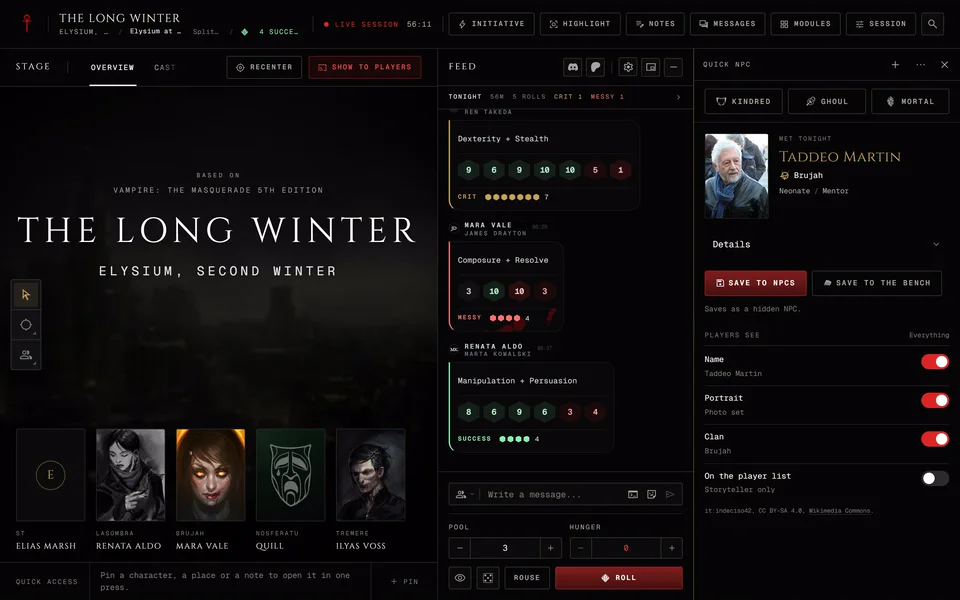
Press Kindred, Ghoul or Mortal and you get a person with a name, a portrait and a short sheet of details. Press the same kind again for another.
Everyone gets an age, a disposition, a trait and a mannerism. Mortals and ghouls also get a concept. A Kindred gets an agenda, a motivation, a touchstone and their sire status. A ghoul gets their ghoul status and a domitor when there is one.
What drives a mortal or a ghoul follows the chronicle. In a V5 chronicle they get an Ambition and a Desire. In V20, Dark Ages and Custom chronicles they get a Nature, a Demeanor, a Long-term goal and a Current aim. V6 characters play in Custom chronicles, so a V6 table gets the second set.
On a narrow screen the details fold under Details.
Locking what you like
Each detail row has a lock, so you can keep the name and reroll the rest. A locked detail stays when you roll the same kind again and a locked name keeps its portrait. The head of the module counts how many are locked and Unlock all frees them.
What players will see
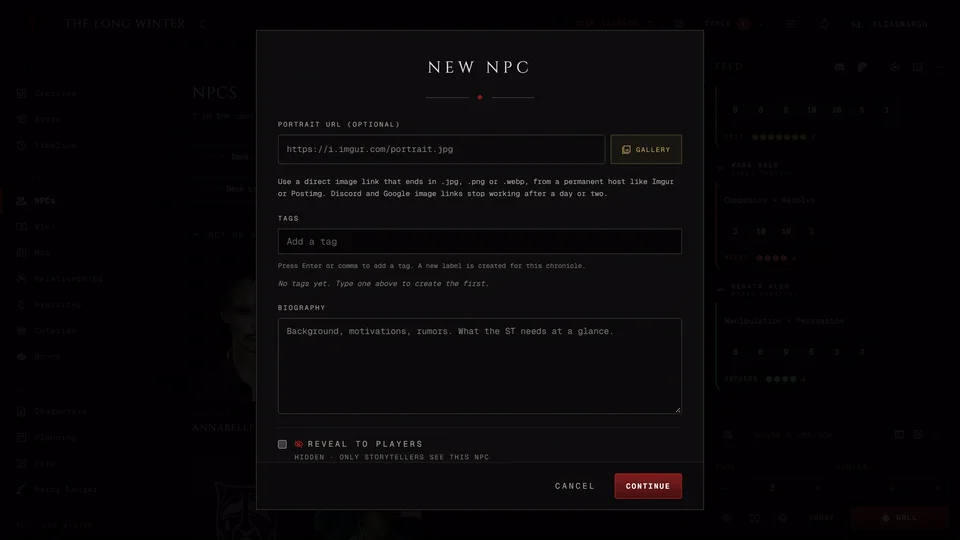
On the side you decide what players get. Players see has switches for the name, the portrait and the clan (the type for a ghoul or a mortal). They're all on at first. On the player list decides whether the NPC shows up in the players' NPC list once it's saved. It starts on Storyteller only, so the NPC is saved hidden. A line under it says what will happen, like "Saves as a hidden NPC."
Keeping it
Nothing is kept until you choose. Save to NPCs puts the person in your chronicle's NPCs with the rolled details in its private notes. If the NPC saves but its notes don't you get Retry private notes.
Save to the bench turns them into an adversary for a fight. It opens the New adversary form under the card with the name filled in and then reads On the bench. It works before you save the NPC too. Save to NPCs is what keeps it in the chronicle.
Earlier tonight keeps the last six people you rolled, so you can go back to the bartender from an hour ago. The current one follows you to another device and your co-storytellers see it.
Bringing it into the scene
Once a Quick NPC is saved its card has more buttons.
- Highlight puts it on the stage for everyone. The button then reads On screen.
- Add to cast puts it on the Cast stage.
- Show to... shows it to some or all players.
- Open NPC opens the full page.
Showing an NPC to players
Show to... asks what to show. What players may read shows the NPC the way players are allowed to see it. The picture only shows the portrait. Then pick Who sees this: The whole table or chosen players.
Afterwards has two choices. Show once lets them see it now while it stays hidden in the chronicle. Show and reveal also lets them open it in the chronicle later. The app asks "Reveal" with the name before it widens who can open it. The send button names who you picked, like Show to the table.
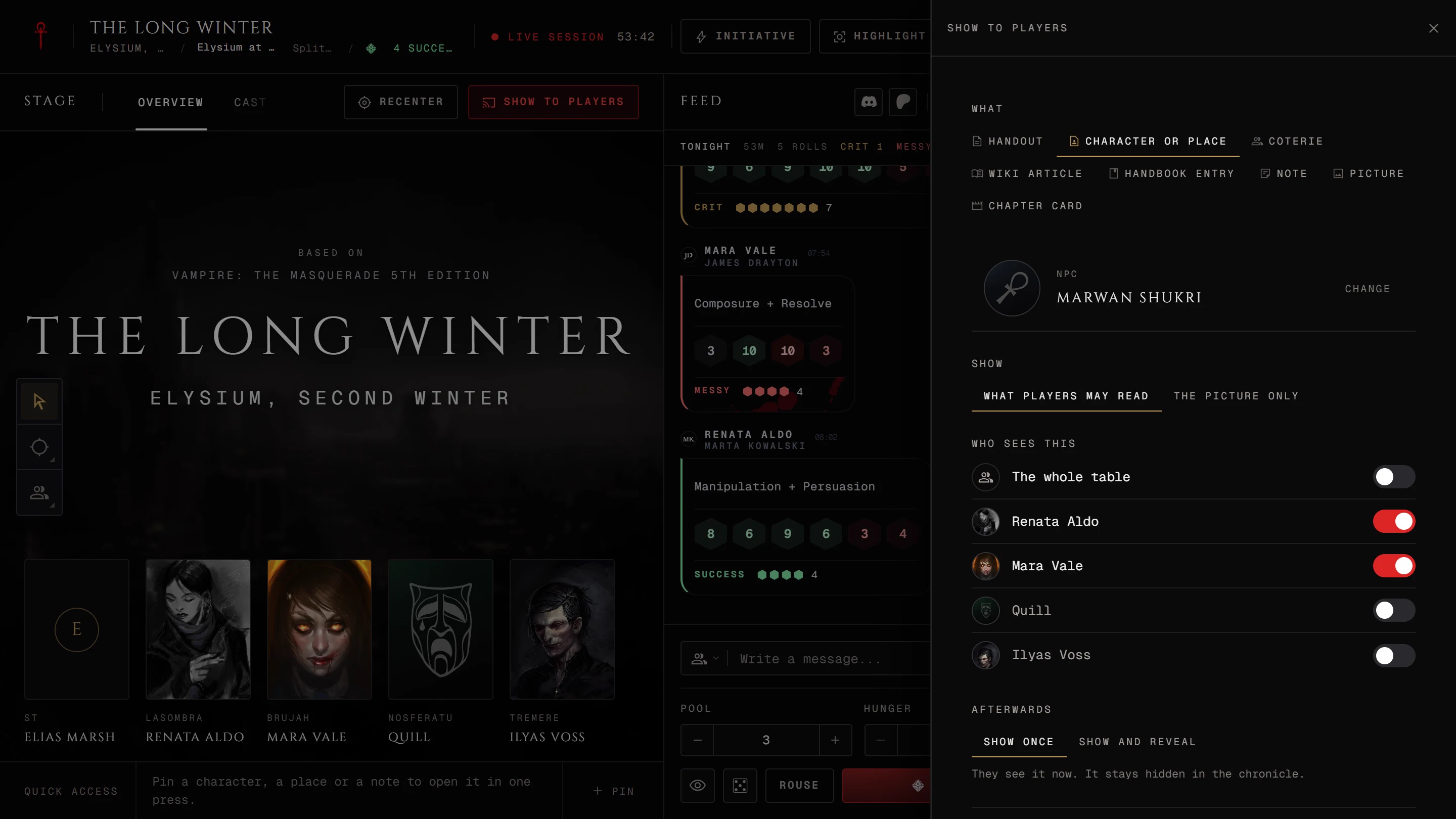
Be careful with Highlight on a hidden NPC. Putting it on the stage reveals it in the chronicle and it stays revealed after the highlight is gone. The table asks you before it does that. A Quick NPC that isn't on the player list stays hidden and players get a masked view. More about what players can and can't see is in Keep things hidden from players.
Related articles
About this article
- Type
- Guide
- Editions
- V5, V20, Dark Ages, V6, Custom
In this article
Need more help?

Ask the team in #ghoulapp-feedback on the Player Companion Discord. Or try #ghoulapp. GhoulApp players are active there and help each other.
Open Discord(New tab)