


Story: chapters and sessions
- Lithaner555Author
- OzzEditor


On this page 5
Story is where your game nights go. Each night is a session and sessions sit in chapters, the big arcs of the chronicle. Threads that run across several nights are storylines. They live on the same page and have their own article, Storylines.
It's in the Narrative group. A storyteller can switch it off (see Turn sections on or off). Visitors on a public link can read it.
Storytellers write here and so can a moderator you've given the Edit story permission. Players read it.
Chapters
New chapter starts an arc. Give it a title and write as much or as little about it as you like. Its Sort order decides where it sits among the other chapters.
If you delete a chapter its sessions stay. They become unfiled and you can move them into another chapter later.
Logging a session
Log session opens a full page for one night, whether you've played it or you're planning it. Write the title and the recap in the middle. The panel at the side holds the rest.
The Session number has to be new in this chronicle. Pick a Chapter and set the date under Scheduled. The time is in your own time zone.
Status is Planned before the night, Playing while it runs and Played once it's over. A new session starts on Played, so change it if you're writing ahead.
Length in minutes is for a night you didn't run as a live session. If it also ran live the minutes are added on top of the time the live session measured. Both count toward played time for everyone in the chronicle.
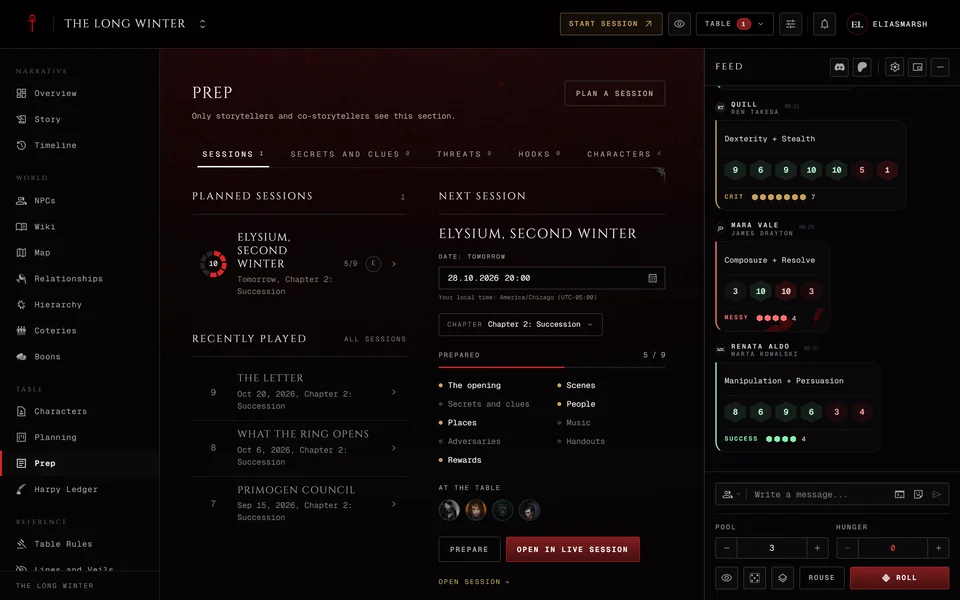
Save and the session shows in the list. Planned and playing sessions sit under On deck. Finished ones move to Played.
A session's page
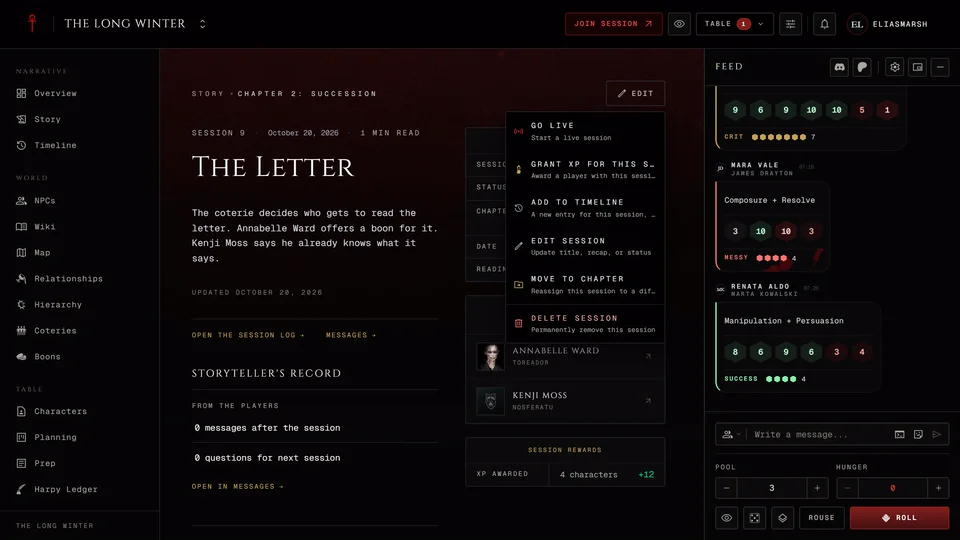
A session's page shows the recap, who turned up, which NPCs appeared and who earned XP that night. A session that ran live also links to its night in the Session log.
The storyteller's menu at the top holds everything you can do with it. Go live starts a live session (it reads Live while one runs). Prepare opens a planned session in Prep. Grant XP for this session opens the XP grant with this night already picked. It shows when the chronicle keeps XP on its XP page. Add to timeline makes a new timeline entry for the night that only storytellers see. Edit session, Move to chapter and Delete session do what they say.
Deleting tells you first what goes with it. The recap, who attended and the table's saved state for that night go. Log entries, XP grants, timeline entries and message threads stay but lose their link to the session.
Reading the story
Switch between Feed, Chapters and Table, group by status or chapter and sort newest or oldest first. Search story looks through all of it.
The side panel lists the chapters, what's running now and Who recurs: the names that turn up in more than one of the nights you're looking at.
What players add after a night
Once a session is played a player can press Write to the storyteller on its page. They can say how the night went, add a moment they liked or something they wish for and choose whether their name goes with it. Only the storytellers read it.
The storyteller sees these under Storyteller's record on the session's page. That part is only for storytellers. From the players counts the messages and the questions for next session and Open in Messages takes you to them. A storyteller can switch this off on the Features tab in Settings under Aftercare after a session.
Related articles
About this article
- Type
- Guide
- Editions
- All editions
Need more help?

Ask the team in #ghoulapp-feedback on the Player Companion Discord. Or try #ghoulapp. GhoulApp players are active there and help each other.
Open Discord(New tab)